
Key takeaways
- Pro: Compact footprint makes it viable in rooms where larger desks simply will not fit.
- Pro: Owner feedback consistently notes a smooth, quiet height adjustment for the price range.
- Con: Limited to a single-monitor workflow unless you use a monitor arm that clamps to the edge.
The question most buyers face when researching standing desk options is not whether to go electric or manual, or whether a taller desk is always better. It is something more practical: how do I find a desk that is stable enough to stand behind at full height, large enough for my setup, and priced low enough that I do not feel like I am gambling on furniture I cannot return easily?
At the low end, compromises appear as wobble at maximum height, thin particleboard tops that flex under monitors, and motors that strain over time. At the high end, you pay for features you may never use, like integrated cable management channels or drawers that lock. The best value in this category tends to sit in a narrow band where published specs and owner feedback both point to a desk that punches above its price. This guide compares eight standing desk options across that full range, using only manufacturer specifications and aggregated owner reports to identify where the value actually lives.
Our top picks




As an Amazon Associate we earn from qualifying purchases at no extra cost to you.
Quick Picks
| Product | Best For | Price |
|---|---|---|
| FEZIBO 48×24 Electric (Maple) | Compact home offices | $112.99 |
| Veken 55″ Electric (White) | Large surface on a tight budget | $109.99 |
| SEDETA Fluted L-Shaped (4 Drawers) | Executive L-shaped setups | $389.99 |
| Standing Computer Gaming Desk 48×24 | Absolute lowest price with presets | $79.99 |
| OffiGo 55″ L-Shaped (Walnut/Black) | Multi-monitor workflows | $249.97 |
| Huuger 47×24 Electric (Black) | Built-in power and connectivity | $109.99 |
| Cubiker 48×24 Sit-Stand (Maple) | Tight spaces and splice-board flexibility | $89.99 |
| OffiGo 55″ U-Shaped (Keyboard Tray) | Ergonomic keyboard positioning | $179.99 |
How We Picked
Four criteria drove every ranking decision here. First, surface-to-footprint efficiency: a desk that wastes floor space around an undersized top fails small-room buyers regardless of how cheap it is. Second, price-to-feature ratio: we looked at what each product includes at its listed price relative to what comparable desks offer. Third, owner-reported stability at height: published motor specs tell part of the story, but feedback from people who use these desks daily reveals wobble, noise, and flex issues that spec sheets do not. Fourth, assembly burden: several products in this range ship in heavy flat-pack boxes that require time and a second pair of hands, which is a real cost for single-occupant apartments.
The 8 Best Standing Desk Options in 2026
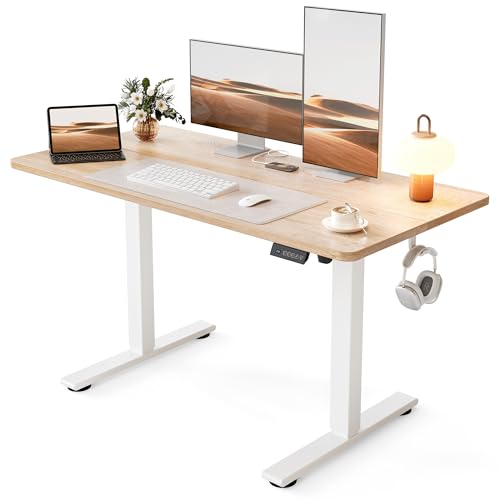
FEZIBO 48×24 Electric Height Adjustable (Maple)
The FEZIBO suits anyone whose office lives in a corner of a bedroom or a shared apartment where floor space is genuinely scarce. Its 48-inch width fits a single monitor with modest keyboard room, and the maple laminate top reads warmer than the white and black finishes common at this tier.
- Pro: Compact footprint makes it viable in rooms where larger desks simply will not fit.
- Pro: Owner feedback consistently notes a smooth, quiet height adjustment for the price range.
- Con: Limited to a single-monitor workflow unless you use a monitor arm that clamps to the edge.
Skip this one if you routinely run two or more screens or need surface area for documents and a laptop side by side.
Veken 55″ Electric Standing Desk (White)
The Veken delivers the widest single-panel surface among the desks under $115, making it a strong choice for buyers who want the spatial comfort of a corner desk without committing to an L-shaped footprint. The white finish suits modern, minimal setups and hides dust less than darker tops.
- Pro: 55-inch width provides genuine room for a wide keyboard, a notebook, and reference materials simultaneously.
- Pro: Published specs indicate a motor rated for a load that covers dual-monitor setups without strain.
- Con: Owner reports mention the frame can flex slightly under very heavy desktop loads near full extension.
If your primary concern is maximum workspace per dollar and you do not need integrated extras, this desk earns its price cleanly.
SEDETA Fluted L-Shaped Executive Desk (4 Drawers)
The SEDETA occupies a different tier entirely. The fluted design language, executive L-shape, and four built-in drawers signal a product aimed at buyers furnishing a dedicated home office or a small team space where the desk doubles as storage and visual statement.
- Pro: Integrated drawers eliminate the need for a separate filing cabinet, saving floor space overall.
- Pro: The L-shape provides a wraparound work surface suitable for multi-screen and document-heavy workflows.
- Con: The price is more than triple that of most desks in this roundup, and assembly is notably complex.
Skip this unless you genuinely need the storage and the desk will serve as a primary piece of office furniture rather than a peripheral upgrade.
Standing Computer Gaming Desk 48×24 (Memory Presets)
At $79.99, this is the least expensive electric option in our comparison that includes programmable height memory presets, a feature usually reserved for desks costing fifty or more dollars above this price point. Its modern, simple aesthetic and emphasis on easy assembly make it a low-friction entry point.
- Pro: Memory presets at this price are rare, saving repeated manual adjustment throughout the workday.
- Pro: The product name and owner feedback both emphasize straightforward assembly with minimal parts.
- Con: The generic branding and minimal published specifications make it harder to verify long-term motor durability.
If your budget is genuinely hard-capped near eighty dollars and you want electric adjustment, this is the most logical option to shortlist.
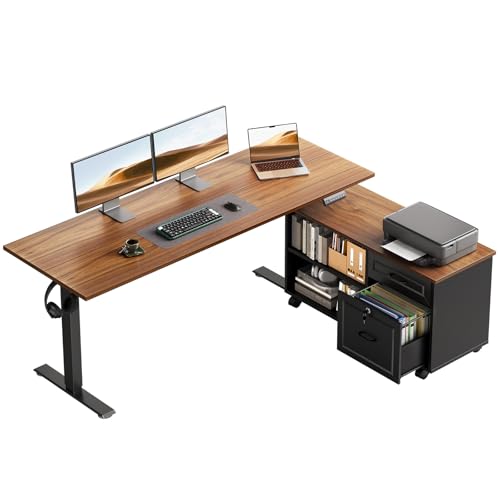
OffiGo 55″ L-Shaped Electric Standing Desk (Walnut/Black)
The OffiGo L-shape pairs a substantial work surface with a matching cabinet set, making it well suited to buyers who want an executive feel without the executive-tier price. The walnut-and-black color combination gives it a warmer, more grounded appearance than the all-white or all-black desks common in this range.
- Pro: Included cabinet adds drawer and shelf storage without requiring a separate purchase.
- Pro: The L-shaped configuration supports an ergonomic reach zone that keeps frequently used items within arm’s length.
- Con: The total footprint demands a dedicated room or a large corner, ruling out smaller living spaces.
Consider this if you are replacing a full desk-plus-cabinet combination and want one cohesive purchase at a mid-range price.
Huuger 47×24 Electric Standing Desk (Black)
The Huuger packs USB-C and standard power outlets into a desk that also features three memory presets and a steel frame rated for stability. At $109.99, it offers a connectivity package that otherwise requires a separate power strip mounted to the underside of the desk.
- Pro: Integrated USB-C port and power outlets reduce cable clutter and keep chargers at the work surface.
- Pro: Three presets cover a typical sit, stand, and elevated-writing height range for households with multiple users.
- Con: The 47-inch width is slightly narrower than competitors at similar prices, trimming usable edge-to-edge space.
This is the strongest all-around pick for buyers who want convenience features without crossing into the $150-plus tier.
Cubiker 48×24 Sit-Stand Desk (White Frame/Maple Top)
The Cubiker differentiates itself with a splice-board design, meaning the desktop can be configured to accommodate specific monitor bases or cutout requirements that would otherwise force you to place peripherals on the floor or on separate stands. At $89.99, it undercuts most electric competitors while maintaining a clean, warm aesthetic.
- Pro: The splice board offers genuine customization for unusual monitor stands or cable pass-through needs.
- Pro: Sub-$90 pricing places it in the same bracket as manual crank desks while offering full electric height adjustment.
- Con: The brand has limited published long-term reliability data compared to more established competitors in this price band.
Shortlist this if you have a specific hardware layout that demands a non-standard desktop surface and your budget is tight.
OffiGo 55″ U-Shaped Electric Standing Desk (Keyboard Tray)
The U-shape with an integrated keyboard tray addresses a specific ergonomic concern: wrist angle. By lowering the keyboard to a separate tray that extends beneath the desktop, it allows forearms to rest at a neutral angle while the monitor sits at eye height on the main surface. At $179.99, this is one of the few standing desks in our comparison that handles this adjustment electrically.
- Pro: Keyboard tray improves typing ergonomics without requiring a separate add-on accessory.
- Pro: The U-shape creates a natural wraparound zone for a multi-monitor or monitor-plus-laptop arrangement.
- Con: The U-shaped footprint is the least flexible in this list; it does not fit against a wall cleanly in narrow rooms.
Choose this if wrist and neck strain are your primary complaints with your current setup and you have the floor space to spare.
Buying Guide
Match the Shape to Your Room Before Anything Else
Straight desks (48 to 55 inches wide) work against any wall. L-shaped and U-shaped desks demand either a corner with clear sightlines or a central placement in a room at least twelve feet wide. Measure your doorway, not just your target placement spot, because several desks in this list ship in boxes wide enough to fail a standard apartment entry. If you are in a rental, also confirm you can tolerate the floor area loss before ordering.
Prioritize Motor Rating and Frame Material Over Desktop Finish
A beautiful maple top on a thin-gauge steel frame will flex and wobble once you raise monitors above it. Look for published motor capacity figures that exceed your expected load by at least thirty percent, and check owner reviews specifically for terms like “wobble,” “shake,” or “tilt” at the upper end of the height range. Desktop finish can be corrected with a mat or a desk pad; structural flex cannot.
Extras Should Solve a Problem You Actually Have
Power outlets, USB-C ports, drawers, and keyboard trays are all genuinely useful, but each adds weight, complexity, and cost. Ask yourself whether the feature addresses a current annoyance. If you already run a good power strip under your existing desk, built-in outlets are redundant. If you type on a laptop with an external monitor, a keyboard tray may not improve your posture compared to a properly positioned external keyboard at standing height.
Our Verdict
For most readers comparing standing desk options at this price tier, the Huuger 47×24 is the top pick. It combines a useful width, three presets, integrated power and USB-C, and a stable steel frame at $109.99, covering more daily convenience needs than any other desk under $120 in this group. For pure budget entry, the Standing Computer Gaming Desk at $79.99 is the cheapest option that still delivers electric adjustment with memory presets, making it the right call when every dollar matters. The SEDETA wins outright if you need a standalone piece of office furniture that includes storage, commands visual authority in a client-facing room, and you have the space and budget to justify that investment.
FAQ
Do standing desk options under $100 deliver usable height range?
Generally yes, though the motor is often smaller and the maximum load rating lower than on desks above $150. For a single monitor and keyboard, sub-$100 electric desks in this roundup reach and hold standing height without reported issues from owners, but they may struggle if you add a heavy laptop on a stand alongside multiple accessories.
Is L-shaped always better for multi-monitor setups?
Not always. A wide straight desk (55 inches or more) can support two monitors comfortably while keeping all components within a single forward reach zone. L-shapes excel when you need a document zone separate from your typing zone, but they occupy more floor space and limit room reconfiguration flexibility.
How important are memory presets in real use?
Owner feedback across multiple desks in this comparison suggests presets matter more than buyers expect, especially in households where two people share the desk. Without presets, you adjust manually each time, and the friction leads people to stop alternating between sit and stand within a few weeks. Three presets is typically sufficient for most two-person households.
Should I worry about weight capacity claims that seem high?
Published capacity figures reflect the motor’s theoretical maximum under ideal distribution, not real-world stability. A desk rated for 150 pounds may still wobble noticeably at full height with 80 pounds concentrated on one side. Trust owner reports about rigidity over the spec sheet number, and place heavier items closer to the frame columns rather than the desktop edges.









