Key takeaways
- Pro: CoreXY rigidity delivers consistent quality at high speed
- Pro: Detachable nozzle system reduces maintenance downtime to seconds
- Con: No native multi-color option — you need a separate unit for that
Choosing a best rated 3d printer for home use in 2026 is harder than it looks on paper. The listings are crowded, prices span a hundredfold, and two machines with similar specs can behave very differently once they sit on your desk. What separates a printer you actually enjoy using from one that collects dust comes down to how well it handles the full workflow: setup friction, print speed, reliability across different filaments, and whether multi-material options work without a fight.
Owner feedback tells a consistent story. The machines that earn high ratings combine meaningful speed (600 mm/s-class CoreXY systems) with truly automatic leveling and an extruder hot enough to cover common engineering filaments without constant recalibration. The ones that disappoint tend to skimp on one of those fundamentals, forcing users into manual tuning that defeats the purpose of a home machine. Below, we compared published specs and aggregated owner reports across eight candidates to rank them for real-world use.
As an Amazon Associate we earn from qualifying purchases at no extra cost to you. Product prices and availability are accurate as of the date shown and are subject to change.






Quick Picks
| Product | Best for | Price |
|---|---|---|
| FLASHFORGE Adventurer 5M | Speed and reliability on a mid-range budget | $249 |
| Bambu Lab P1S Combo | Multi-color printing with proven ecosystem | $549 |
| Bambu Lab P2S Combo | Upgrading to the latest Bambu platform | $769 |
| Bambu Lab P1S | Serious single-color printing without the AMS premium | $399 |
| Bambu Lab A1 | Beginners and families wanting plug-and-play | $299.99 |
| 5M 3D Printer with Touchscreen | Ultra-budget experimentation | $79.99 |
| FLASHFORGE AD5X | Multi-color at a mid-tier price | $349 |
| Entina Tina2C | Kids and STEM classrooms | $199.99 |
How We Picked
We evaluated each printer on four criteria drawn from what owners consistently praise or complain about. First, speed and structural rigidity: CoreXY kinematics with high acceleration ratings matter because they cut queue times without sacrificing quality. Second, setup and calibration burden: fully automatic leveling and ready-to-use out-of-box configs separate machines people keep using from machines people abandon. Third, material and workflow flexibility: a hot extruder (280 °C and above) plus detachable nozzles reduce downtime, and integrated multi-color systems unlock use cases that single-extruder printers simply cannot match. Fourth, value relative to the above — not just sticker price, but price per capability.
The 8 Best Rated 3D Printer in 2026
FLASHFORGE Adventurer 5M
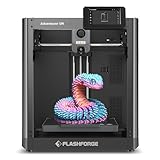
The Adventurer 5M targets hobbyists who want CoreXY speed without the Bambu price tag. Its 600 mm/s top speed, all-metal structure, and fully auto leveling make it a workhorse for single-material prints at a $249 sticker. The 280 °C direct extruder with 3S detachable nozzle handles PETG and TPU without a fuss, and the 220×220×220 mm build volume suits most functional parts.
- Pro: CoreXY rigidity delivers consistent quality at high speed
- Pro: Detachable nozzle system reduces maintenance downtime to seconds
- Con: No native multi-color option — you need a separate unit for that
Skip it if your priority is multi-material output or a fully enclosed chamber for ABS.
Bambu Lab P1S Combo
The P1S Combo bundles the enclosed P1S printer with the original AMS, giving you four-spool multi-color printing from the start. Owners highlight the enclosed chamber as a major advantage over open-frame rivals when working with ABS or ASA, and the AMS integration is among the smoothest in the industry for filament swaps and purging. At $549, it sits in a sweet spot between entry-level and enthusiast hardware.
- Pro: Enclosed chamber plus AMS makes it the most versatile package at this price
- Pro: Bambu Studio software and model ecosystem lower the learning curve significantly
- Con: Proprietary ecosystem limits hardware modding and third-party filament tuning
Skip it if you only need single-color prints and want to save $150.
Bambu Lab P2S Combo
The P2S Combo is Bambu Lab’s current flagship for home users, pairing the newer P2S chassis with the AMS 2 Pro for improved multi-color throughput. Owners report faster AMS reload cycles and refined nozzle compatibility over the P1S generation. At $769 it demands the highest commitment of any printer here, but the platform maturity means firmware, software, and spare parts availability are all at their strongest.
- Pro: Latest hardware and software with the most active support pipeline
- Pro: AMS 2 Pro improves reliability and reduces filament waste between color changes
- Con: Price premium over the P1S Combo is substantial for marginal day-to-day gains
Skip it if the P1S Combo already covers your needs — the generational jump is real but incremental.
Bambu Lab P1S
Without the AMS, the P1S is a focused single-material machine in an enclosed frame. At $399, owners value the chamber for warp-sensitive materials and the same high-speed CoreXY motion system found in the combos. It appeals to users who print mostly in one color per object and want the enclosure advantage without paying for multi-spool hardware they might not use.
- Pro: Enclosed chamber handles ABS and ASA reliably out of the box
- Pro: Same proven Bambu speed and software stack minus the AMS cost
- Con: No native multi-color path without buying a separate AMS unit later
Skip it if you anticipate wanting four-color prints within the first few months.
Bambu Lab A1
The A1 is Bambu’s open-frame entry printer aimed squarely at beginners and households with curious kids. Ready to use straight from the box, it removes nearly every calibration step that intimidates newcomers. Owners praise the quiet operation and the same slicer ecosystem as Bambu’s higher-end machines, meaning skills transfer upward without relearning software.
- Pro: Genuinely zero-config setup lowers the barrier to first successful print
- Pro: Shared software ecosystem with the P-series eases future upgrades
- Con: Open frame restricts warp-prone materials to those with heated chambers
Skip it if you need to print ABS or nylon without enclosure support.
5M 3D Printer with Touchscreen
At $79.99, this touchscreen-equipped machine is the cheapest option on this list. It serves buyers who want to confirm that 3D printing is even interesting before committing serious money. The touchscreen simplifies local operation, and owner feedback at this price point generally centers on adequate performance for simple PLA models. Expect basic quality and limited community support compared to the established brands above.
- Pro: Lowest financial risk for a first-time buyer testing the waters
- Pro: Touchscreen interface removes the need for a tethered computer
- Con: Sparse documentation and minimal spare-parts availability
Skip it if you plan to print beyond decorative objects or want a long-term machine.
FLASHFORGE AD5X
The AD5X brings FLASHFORGE’s CoreXY speed platform into the multi-color conversation at $349. A 300 °C direct-drive extruder and 1-click auto leveling match the Adventurer 5M’s fundamentals, but the AD5X adds multi-color capability and a higher extruder ceiling that unlocks nylon and polycarbonate. Owners note the build volume mirrors the 5M’s 220×220×220 mm, keeping functional part sizes practical.
- Pro: 300 °C extruder broadens material range beyond common PLA and PETG
- Pro: Multi-color output at roughly $200 less than Bambu’s P1S Combo
- Con: Software and model ecosystem feel less polished than Bambu Studio
Skip it if ecosystem maturity and community troubleshooting resources outrank raw specs for you.
Entina Tina2C
The Tina2C is purpose-built for kids and classroom use. Fully assembled with auto leveling, WiFi and app control, a 3000+ model library, and 20+ STEM modules, it removes nearly every technical barrier that keeps younger users from producing their own designs. At $199.99, it undercuts the Bambu A1 while adding a curated educational content layer that general-purpose printers simply do not provide.
- Pro: Start printing within minutes of unboxing, guided by the app
- Pro: Built-in STEM curriculum and model library add pedagogical value
- Con: Smaller form factor and lower speed cap limit adult or functional use
Skip it if you need build volume beyond miniatures or plan to engineer functional parts.
Buying Guide
Speed and Kinematics
CoreXY motion systems dominate the high-speed end of the market. They decouple X and Y movement from the print head, reducing oscillation and allowing accelerations that bed-slinger designs cannot match without ringing. If your work involves batch printing small parts or iterating prototypes, the difference between 200 mm/s-class and 600 mm/s-class machines compounds across hundreds of prints into real hours saved. All-metal frames add further rigidity that keeps layer lines clean at those speeds.
Extruder Temperature and Nozzle Serviceability
A 280 °C minimum covers PLA, PETG, TPU, and most carbon-fiber blends. Pushing to 300 °C or beyond opens nylon and polycarbonate without an aftermarket upgrade. Detachable or quick-swap nozzle systems matter more than people expect — a clogged nozzle should cost you thirty seconds, not a full teardown with heat breaks and PTFE tubes. Direct-drive extruders grip flexible filaments far better than Bowden setups at these temperatures.
Multi-Color Architecture
Integrated multi-spool units (like Bambu’s AMS or FLASHFORGE’s equivalent) let you load several filaments and purge between colors automatically. The practical difference is workflow speed: swapping spools manually between color changes on a single extruder can triple your print time. However, multi-color systems add complexity and filament waste from purging. If your projects rarely need more than two colors per object, a single-extruder enclosed printer at a lower price may serve you better.
Our Verdict
The FLASHFORGE Adventurer 5M is our top pick for most home users seeking a best rated 3d printer that balances speed, build quality, and price without overcommitting. The Bambu Lab A1 earns the budget recommendation for anyone prioritizing a frictionless first experience. If you print exclusively in one material but need an enclosed chamber for ABS or ASA work, the standalone Bambu Lab P1S wins at $399 by offering that enclosure without the AMS surcharge you would not use.
FAQ
Do I need an enclosed chamber for home use?
Only if you print warp-prone materials like ABS, ASA, or nylon. PLA, PETG, and TPU perform well on open-frame printers, and the enclosure mainly adds noise and reduces visibility in everyday use.
How important is auto leveling compared to manual bed adjustment?
Critical for casual users. Manual leveling is the single most cited frustration in low-rated owner reviews, and fully automatic systems eliminate that failure mode entirely.
Can I upgrade to multi-color printing later?
With Bambu and FLASHFORGE platforms, in most cases yes — the AMS or multi-spool modules attach to existing machines. Verify compatibility with your specific model before planning the upgrade path.
Is 600 mm/s actually useful, or just marketing?
For batch work and small functional parts, real time savings are meaningful. For large single prints with long infill paths, the benefit diminishes because speed ceilings hit thermal limits and retraction constraints.