Key takeaways
- Pros: Built-in outlet eliminates a desktop power strip; LED strip mounts under the rear edge where it does not glare into the screen.
- Con: Assembly requires a second person for the rear panel alignment.
A pc desk l shape solves a specific spatial problem: fitting a comfortable dual-monitor workspace into a corner without sacrificing legroom or cable management. The best models in 2026 balance surface area, built-in power, and structural rigidity at prices that undercut standing-desk alternatives. The worst ones wobble under a single monitor, hide their cable tray behind a solid back panel, or ship with particleboard tops that swell after one spill.
Across the eight desks compared here, the meaningful differences come down to desktop thickness, drawer depth, and whether the power strip sits within easy reach of a seated position. Owner feedback consistently flags cheap screws stripping during assembly and LED strips that dim after six months. A pc desk l shape with a 0.95-inch-thick top and metal drawer slides tends to age better than one relying on MDF and plastic runners, even when the price difference is only twenty dollars.
As an Amazon Associate we earn from qualifying purchases at no extra cost to you. Product prices and availability are accurate as of the date shown and are subject to change.





Quick Picks
| Product | Best for | Price |
|---|---|---|
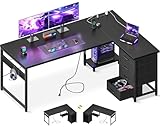
| AODK L Shaped Desk with LED & Outlet | Smallest footprint with power | $109.99 |
| ODK 53″ L Shaped Desk | Budget shelf-and-LED combo | $105.99 |
| Korfile 66″ L Shaped Desk | Drawer storage at scale | $129.99 |
| SEDETA 67″ L Shaped Desk | Accessories via pegboard | $119.99 |
| AODK 61″ L Shaped Desk | Four-drawer organization | $129.99 |
| Aheaplus 59″ L Shaped Desk | Mid-size room, clean lines | $119.98 |
| ODK 48″ L Shaped Desk | Tight corners, single monitor | $124.99 |
| Huuger 63″ L Shaped Desk | Thickest desktop in this list | $119.99 |
How We Picked
Three criteria separated these models. First, desktop thickness and material density, because a thin particleboard top flexes under a 32-inch monitor arm and transfers that vibration to everything on the surface. Second, the placement and accessibility of built-in power outlets and USB ports—if you need a separate extension cord, the integrated strip defeats its purpose. Third, storage depth and configuration. A shallow drawer that swallows only a stapler is a marketing feature, not a practical one. Owner reviews on retail sites provided real-world assembly and durability feedback that spec sheets never reveal.
The 8 Best Pc Desk L Shape in 2026
AODK L Shaped Desk Gaming Desk with LED Light & Power Outlet
For a renter or student working from a bedroom corner, this AODK packs a usable L-shaped surface, an LED strip, and a power outlet at a price that leaves room for a monitor arm. The top surface is wide enough for a keyboard and one screen without crowding the elbow.
- Pros: Built-in outlet eliminates a desktop power strip; LED strip mounts under the rear edge where it does not glare into the screen.
- Con: Assembly requires a second person for the rear panel alignment.
Skip it if you need drawer storage or a surface longer than roughly fifty inches on either leg.
ODK 53″ L Shaped Gaming Desk with Shelves, LED & Outlets, Black
The open shelving unit above the long side makes this ODK a natural pick for anyone who wants speakers, a gamepad station, or a router off the desktop. At just under fifty-six inches wide, it fits a standard bedroom without protruding into a doorway.
- Pros: Overhead shelf adds storage without a separate bookcase; dual outlets are positioned within arm’s reach of a seated user.
- Con: The shelf brackets use short screws that owners report need re-tightening after three months.
Skip it if your monitors exceed twenty-seven inches and you prefer a clean, uncluttered rear sightline.
Korfile 66″ L Shaped Gaming Desk with Storage Drawers, Power Outlets, LED
Sixty-six inches of long-side surface and two full-depth drawers make the Korfile the most storage-forward option here. It suits a dedicated office where a pc desk l shape doubles as the sole furniture piece for paperwork, controllers, and accessories.
- Pros: Drawers glide on metal rails rather than plastic runners; wide top accommodates a dual-monitor arm without pinch points.
- Con: At this size the desk demands a corner at least seven feet on one wall.
Skip it if your room is under nine by ten feet or you plan to move it seasonally.
SEDETA 67″ L Shaped Gaming Desk with Pegboard LED Lights and Power Outlet
The integrated pegboard turns the SEDETA into a customizable wall unit without drilling studs. Headsets, cables, and small tools hang where they are visible, freeing desktop space entirely. Owners who add a microphone arm and a tablet holder call it the most flexible layout in this roundup.
- Pros: Pegboard hooks sell separately at any hardware store; longest surface at sixty-seven inches.
- Con: The pegboard ships with no hooks, so the accessory ecosystem starts from zero.
Skip it if you already own a monitor arm that clamps to the rear edge—the pegboard interferes with the clamp footprint.
AODK 61″ L Shaped Gaming Desk with 4 Drawers and Power Outlets, Black
Four drawers in two sizes let the AODK 61-inch model keep keyboards, notebooks, and peripherals sorted without a separate credenza. The asymmetrical drawer layout (one deep, three shallow) means nothing rolls around when you pull the desk forward during cleaning.
- Pros: Drawer count is the highest here; top surface is stable enough for a single thirty-two-inch monitor on a stand.
- Con: The shallow drawers will not fit a standard spiral notebook without trimming the coil.
Skip it if you plan to use a full monitor arm on the short leg—the drawer bank raises the mounting point awkwardly.
Aheaplus 59″ L Shaped Desk Gaming Desk with LED Light & Power Outlet, Black
At fifty-nine inches, the Aheaplus hits a sweet spot for a two-by-three-meter room. The top is matte black with a slight lip at the rear edge to catch rolling pens or small figurines. Owners appreciate the cable cutout placement directly above the outlet, which keeps power bricks hidden behind the desk panel.
- Pros: Rear cable channel keeps the front face clean; price sits just under the more storage-heavy rivals.
- Con: No drawers and no overhead shelf means accessories live on the surface.
Skip it if you work with more than one device and need a place to stash chargers out of sight.
ODK 48 Inch L Shaped Gaming Desk with LED Lights, Power Outlets, Black
The forty-eight-inch ODK is the smallest footprint in this group, designed for a closet office or a student dorm corner. Despite its size, it still includes LED lighting and a built-in outlet. The short return leg is barely twenty inches, so it reads more as a side table than a second workspace.
- Pros: Fits where nothing else in this list would; assembly is a one-person job under thirty minutes.
- Con: The desktop is thin enough to vibrate when typing vigorously on a mechanical keyboard.
Skip it if you need a genuine second work surface or a monitor arm that requires deep clamping.
Huuger 63 Inch L Shaped Desk with Power Outlets & 0.95 Inch Thicker Desktop
The Huuger’s 0.95-inch desktop is the thickest here, and owners consistently call it the sturdiest-feeling surface at this price tier. That matters if you mount a heavy ultrawide or a pair of twenty-seven-inch monitors on arms. The extra mass also dampens keyboard vibration noticeably.
- Pros: Thicker top resists flex better than any competitor under $130; power outlet strip is recessed into the rear edge rather than bolted to the front face.
- Con: The additional thickness adds roughly six pounds to the already heavy rear panel during assembly.
Skip it if you need drawers—the Huuger offers none, relying on clean lines and surface area instead.
Buying Guide
Desktop Thickness and Rigidity
Look for a top at least 0.95 inches thick or one backed by a metal under-frame that ties the two legs together. A thin particleboard slab will feel spongy within a year if you rest your wrists while typing or if a monitor arm introduces constant micro-torque. Owners of sub-0.9-inch tops in this price band report visible bowing after eight months of dual-monitor use.
Power and Cable Routing
A pc desk l shape with a built-in outlet must place it within easy reach of your seated position—ideally behind the rear cable channel, not on a side face you cannot see. Check for at least one full-size outlet plus two USB-A or USB-C ports. Desks without a rear channel force you to route cables along the leg, which collects dust and looks unfinished within weeks.
Storage Depth and Drawer Hardware
Measure the interior depth of any advertised drawer before buying. A drawer that is only four inches deep fits pens and sticky notes; one at seven or eight inches fits a ten-inch tablet or a controller. Metal runner tracks outlast plastic ones in humid climates. If the listing does not specify the runner material, assume plastic until reviews say otherwise.
Our Verdict
The top pick is the Huuger 63 Inch for its superior desktop thickness and clean power integration—stability is the one thing no spec sheet can fake. The budget pick is the ODK 53-inch, which bundles shelves, LED, and dual outlets under $110. If your room is smaller than nine by ten feet, the SEDETA’s pegboard wins because it converts wall clutter into structured storage without eating floor area.
FAQ
Do L-shaped desks need a specific room size?
Measure your corner’s two walls and subtract four inches from each for the desk’s footprint clearance. A pc desk l shape with a 66-inch long side requires roughly 5.5 feet of usable wall on one side and 3 feet on the other, plus room to slide the chair fully under.
Are built-in LED strips worth keeping on long term?
Most owner reports note the adhesive backing loosens after a year of temperature cycling in a heated room. If you rely on ambient lighting, plan to re-mount the strip with a 3M VHB replacement or skip LED-equipped models and use a separate bias light bar instead.
Can I mount a monitor arm on any desk in this list?
Arms need a rear lip depth of at least two inches and a desktop no thicker than the clamp’s maximum travel. The Huuger’s 0.95-inch top is within range for most standard C-clamps, but the SEDETA’s pegboard can interfere if the clamp sits directly behind the board panel.
How do I prevent the short leg from wobbling over time?
Check the joint between the two legs quarterly and re-tighten the four connecting bolts with a hex key. A pc desk l shape with metal brackets at the joint holds tension far better than one relying on cam-lock fasteners, which are common in the lower-priced models here.