An oven that consistently bakes too hot or too cool may need a small temperature offset, not a replacement heating element. Learning how to calibrate an oven means checking its average baking temperature, locating the adjustment for your exact model, and confirming the change with another bake. Most digital adjustments take only a few minutes after testing, but the measurement and repeat check require several heating cycles.
Quick Answer: First verify the mismatch with a suitable oven-air probe or a repeatable bake test. Then use the owner’s manual to change the oven’s baking offset in the correct direction, make only a small adjustment, and retest. A single dial-thermometer reading during preheat is not sufficient evidence.
As an Amazon Associate we earn from qualifying purchases.
By DIY Ideas 4 Home Editorial Team
Before You Start: Tools, Materials and Safety
Calibration changes the temperature the oven aims to maintain during baking; it does not repair a failed part or remove natural temperature swings. GE Appliances describes allowable baking offsets of up to 35°F on several controls, while Whirlpool documents limits of 30°F on other models. Those are model-dependent menu limits, not a target adjustment.
| Tool or Material | Size or Spec | Why You Need It | Substitute |
|---|---|---|---|
| Oven-air thermometer | Oven-safe air probe and external display | Measures temperature where food bakes without repeated door opening | Familiar, repeatable bake test |
| Probe rack clip | Compatible with your air-probe tip | Suspends sensor in air instead of against hot metal | Probe manufacturer’s approved mounting method |
| Owner’s manual | Exact model and control layout | Identifies offset limits, keys, and save procedure | Manufacturer’s model-specific product support |
| Notebook or phone notes | Record setpoint, average, and existing offset | Lets you compare before and after without guessing | Simple paper worksheet |
Decide Whether an Offset Is Appropriate
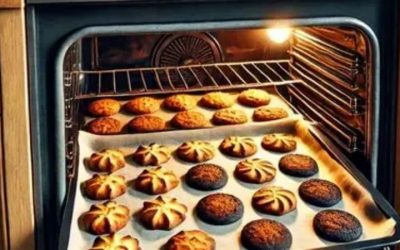
A steady difference between your chosen set temperature and the average oven-air temperature is a reasonable reason to check calibration. Food that repeatedly comes out too pale or too dark under otherwise similar conditions can also be a clue. One batch of cookies, however, cannot separate temperature error from the effects of bakeware, rack placement, recipe timing, and incomplete preheating.
If the oven remains cold, trips a breaker, smells of gas, or heats unpredictably from one session to the next, do not try to hide the problem with a calibration setting. A temperature offset is a minor control adjustment. It cannot restore a broken element, defective igniter, damaged sensor, or unstable power supply.
Understand the Thermometer Limitation
An oven thermostat cycles the heat source on and off, so the air temperature rises above and falls below the setpoint. Samsung’s support guidance specifically warns that a basic oven thermometer should not be used as the sole calibration reference and identifies a thermocouple as the proper measuring tool when using instruments. Whirlpool also cautions that checking a thermometer while repeatedly opening the door can mislead you.
For a measurement-based approach, use a properly rated oven-air probe that can report temperatures outside the closed oven. ThermoWorks’ oven-monitoring guidance places its air sensor near the center of the cooking rack and considers the average across a heating cycle. A familiar recipe cooked under tightly repeated conditions is a practical alternative if you do not own suitable equipment.
Keep the Process Safe
Start with a cool oven to position the rack and probe. Follow the probe maker’s cable-routing directions, keep the cable away from heating elements, and leave its plastic display outside the hot cavity. Oven mitts are necessary when removing any equipment that has been heated. If the oven is gas-powered, treat a gas smell as an emergency: leave the building and contact your gas provider or emergency services from outside.
Do not open the oven chassis, manipulate gas fittings, bend sensor wires, or adjust an internal thermostat screw unless your specific owner documentation authorizes an accessible user adjustment. Electronic offset menus and certain removable temperature-control knobs are intended for consumer adjustment; electrical and gas component repairs are not.
How to Calibrate an Oven Step by Step
The following seven steps apply to ordinary baking-temperature offsets, not broil calibration or self-clean settings. The control sequence must come from your model’s manual, even if your oven shares a brand with the examples. Record your original offset before making a change so you can restore the previous setting if the results become worse.
Step 1: Identify the Oven and Its Settings
Find the exact model number on the identification label around the oven frame or in the original paperwork. Open the manufacturer’s owner guide and locate a section named Oven Temperature Adjustment, Calibration, Thermostat Adjustment, or a similar term. Write down the existing offset displayed by the control, especially if someone has already adjusted the range for a previous kitchen or cooking preference.
Whirlpool’s How to Calibrate the Oven support page lists several methods: some models use a Settings or Tools menu, others require holding the temperature down key for 5 seconds, and others use a 5-second hold on BAKE. The available increments may be 5°F or 10°F depending on the control. Do not assume a button sequence from a different model will work on yours.
Step 2: Place the Air Probe at Baking Height
With the oven off and cool, move a rack to its center position. Mount the air-probe tip near the center, suspended clear of the rack, a pan, the cavity walls, and the heating elements. A probe touching metal reads a surface’s temperature rather than the surrounding oven air. Route its approved heat-resistant cable according to the thermometer manufacturer’s instructions, avoiding hot door edges and unnecessary pinching.
If your thermometer cannot remain safely in a closed oven, use the recipe-based method in the next step instead. An instant-read food thermometer is designed to measure food internally, not to hang indefinitely in a heated cavity. Record whether you are using a conventional bake or convection mode, as later comparisons need the same setting.
Step 3: Preheat Fully at a Known Setting
Select a common baking setpoint such as 350°F and allow the oven to finish its entire preheat sequence. Keep the door shut. The control’s preheat tone is a starting signal for monitoring, not a guarantee that every surface and corner of the oven has reached the exact displayed temperature. Remember that a fully loaded oven with cold cookware behaves differently from an empty cavity.
If you are using a cooking trial rather than an instrument, Whirlpool’s How to Evaluate if Temperature Calibration is Needed recommends a repeatable refrigerated-biscuit bake on a shiny, low-sided aluminum sheet. Its method calls for the center rack and at least 2 inches of clearance around the sheet. For a dark or nonstick pan, the maker’s example reduces the package temperature by 25°F, showing why pan material must be controlled.
Step 4: Track More Than One Heating Cycle
Once preheating is complete, watch the readings as the oven turns its heating source on and off. You need an average that reflects its usual operation, not one momentary peak or dip. ThermoWorks’ Square DOT instructions recommend leaving its average function undisturbed for at least 20 minutes after averaging begins. Other compatible instruments may require recording several high and low readings from a stable cycle.
Keep your notes simple: selected baking mode, set temperature, average reading or repeated recipe outcome, and whether the room was unusually cold or the door was opened. Do not confuse a 350°F setpoint with a requirement that the readout stay at 350°F every second. Variation during a cycle is expected, and opening the door to inspect a dial changes the condition you are trying to measure.
Step 5: Choose a Small Offset Direction
If the measured average is reliably below the selected baking temperature, the appropriate menu adjustment is generally positive. If it is reliably above, choose a negative adjustment. For example, an oven averaging 10°F cooler than its setpoint may call for a small positive offset. This is an illustration, not permission to override the manufacturer’s adjustment range or compensate for a failing component.
Whirlpool’s biscuit-bake guidance advises changing calibration by no more than 10°F at a time, then repeating the same test. That conservative approach reduces the risk of replacing a marginal underbaking problem with an overbaking one. If the measured results fluctuate wildly across repeated cycles or different days, investigate reliability rather than dialing in a large offset.
Step 6: Save the Model-Specific Adjustment
Use only your documented control method. GE Appliances’ Calibrating Oven Using Settings and Options on Control describes one design where Settings leads to the temperature-adjustment option, the keypad changes the setting in 1°F increments, and a save selection stores it. A different GE keypad may require pressing BAKE and BROIL together; other models use a touch-screen Cooking menu. These routes are alternatives for specific controls, not interchangeable shortcuts.
After selecting a small correction, follow the guide’s save command rather than leaving the adjustment screen without confirmation. Whirlpool frequently uses START to save an adjustment, while Samsung advises using the exact menu for its particular range. On a double wall oven, check whether the upper and lower cavities retain separate offsets. GE notes that the setting may survive a power interruption, so do not assume a reset has cleared it.
Step 7: Repeat the Check Before Cooking Normally
Repeat the measurement using the same rack, baking mode, starting setpoint, and thermometer placement as the first trial. If you used biscuits or cookies, keep the same recipe, pan, quantity, and cooking time. Samsung’s calibration instructions explicitly recommend retesting a familiar recipe at its original temperature after saving an adjustment. A successful correction should improve repeatable results, not merely change the number on the oven display.
Check a second commonly used baking temperature when practical, particularly if you alternate between gentle baking and hotter roasting. If the oven is now consistently close to your desired result, stop adjusting. Repeated large changes without improvement are a sign to document the measurements and contact a qualified appliance service professional.
Products That Help
The ThermoWorks Square DOT is a practical choice for repeatable oven-air measurements because the manufacturer’s Square DOT operating instructions describe a second-channel average function and an included high-temperature air probe with a grate clip. Its average readout reduces the temptation to change oven settings in response to a single spike. Consider it if you bake frequently and want a dedicated temperature-monitoring tool.
The ThermoWorks ChefAlarm is another option when paired with the compatible ThermoWorks Pro-Series High Temp Air Probe, model TX-1003X-AP. ChefAlarm’s product documentation describes minimum and maximum temperature tracking, while the accessory’s product page identifies it as an oven-air probe with a rack clip. Confirm you are buying the air-probe accessory, since the standard ChefAlarm package includes a food-penetration probe rather than this oven-air attachment.
Common Mistakes to Avoid
Do not mistake an oven’s high point during a heat cycle for a lasting calibration error, and do not make changes after just one tray bakes unevenly. Rack height, preheat completion, pan color, and opening the door all alter results. Whirlpool’s uneven-browning guidance treats these factors separately from temperature calibration, so changing the thermostat offset will not necessarily correct a hot corner or a scorched top crust.
Also avoid transferring one brand’s button sequence to another range or adjusting broil settings when the complaint concerns baking. GE and Samsung both describe normal baking offsets as separate from broil or self-clean temperatures. A model that has no accessible offset menu may require using a carefully documented recipe setting or arranging professional service rather than trying to dismantle the control.
Frequently Asked Questions
Calibration is useful only when the concern is a repeatable mismatch in baking behavior. These common questions address what to expect after the control adjustment and how to avoid false conclusions.
Can I Calibrate an Oven Without a Thermometer?
Yes, if the manufacturer supports a controlled recipe-based check. Samsung recommends a familiar cookie recipe and repeating small batches at the same time and settings to identify whether a small temperature correction improves the result. Whirlpool offers a refrigerated-biscuit procedure. Neither method provides an exact independent measurement of cavity air temperature, so repeat conditions carefully.
Does Calibration Change Broiling Temperature?
Not on the GE and Samsung electronic baking-offset systems described in their published support instructions. Those makers state that baking adjustments do not affect broiling or self-cleaning temperatures. Check your exact oven documentation before treating that distinction as universal, particularly if your oven uses a mechanical control.
Will Unplugging an Oven Reset Its Calibration?
Not necessarily. GE Appliances states that the baking offset on its documented controls is retained after a power failure, and Samsung describes the same behavior for its covered ranges. To return to the prior setting, use the model’s temperature-adjustment menu and record the value you change, rather than relying on a power cycle.
When Should I Call an Appliance Technician?
Call a qualified technician when heating is erratic, the oven cannot hold a repeatable cycle, a temperature error exceeds the manufacturer’s adjustment range, or an element or sensor appears faulty. Never use menu calibration to compensate for a gas odor, sparking, damaged wiring, or an oven that cannot heat. Stop using an unsafe appliance while arranging service.
Final Thoughts
Knowing how to calibrate an oven is useful only if you can reproduce the original problem. Keep the first measurement or bake-test notes alongside the old and new offset, so the next owner or technician can distinguish a deliberate setting from a developing fault. Before purchasing a dedicated probe, check whether your model offers a user-adjustable baking offset at all; otherwise, you may get more value from a service diagnosis than another temperature gadget.