
Key takeaways
- Pro: Fast enough for 4K and full HD sequential recording without dropped frames.
- Pro: Full-size adapter included, expanding compatibility without a separate card.
- Con: Sustained write speed is not published, so long continuous recordings may not match the peak read figure.
The market for 1TB SD cards has exploded since device makers stopped baking storage into phones and started treating expansion cards as the default solution. You need one if you shoot 4K video on a mirrorless camera, want more room on a Nintendo Switch or Steam Deck without deleting games, or record dash cam footage around the clock. The problem is that not every 1TB card earns that label. Speed ratings look similar on spec sheets, but the gap between a card that sustains write performance under a full file queue and one that throttles after thirty seconds can mean the difference between usable footage and corrupted clips.
What separates a worthwhile 1TB SD card from a disappointing one in 2026 comes down to three things: sustained write speed versus peak read, whether the card carries a V30 or higher video speed class, and the reliability track record of the brand at that capacity. Price ranges from roughly $157 to $310, and the jump between tiers reflects real differences in controller quality and NAND endurance rather than simple marketing. This roundup compares published specifications and aggregated owner feedback across eight cards to help you match a card to your actual workload.
Our top picks



As an Amazon Associate we earn from qualifying purchases at no extra cost to you.
Quick Picks
| Product | Best for | Price |
|---|---|---|
| SanDisk Extreme microSD 190MB/s | Everyday 4K recording and phone expansion | $169 |
| SanDisk Extreme PRO SDXC | Mirrorless and DSLR 4K UHD video | $279.99 |
| SanDisk Extreme microSD 245MB/s | Large-file offloading and drone shoots | $269.99 |
| Lexar Play Blue microSD | Gaming handhelds and Android app storage | $157.52 |
| Amazon Basics microSDXC | Light use on the lowest budget | $179.99 |
| SanDisk Extreme PRO UHS-I 250MB/s | Professional video with fast transfer needs | $309.99 |
| SanDisk Ultra microSD 150MB/s | Dash cams and security footage | $169.99 |
| TEAMGROUP A2 Pro Plus | Nintendo Switch and Steam Deck expansion | $159.99 |
How We Picked
We narrowed the field using four criteria relevant to the 1TB tier. First, speed class: any card rated below V30 or U3 was excluded because 1TB owners typically record 4K or handle large sequential writes. Second, published read and write speeds from the manufacturer, cross-checked against aggregated owner reports for consistency. Third, price-per-usable-performance: we looked at whether a higher price delivers a measurable speed or durability advantage or simply reflects brand premium. Fourth, brand reliability at the 1TB capacity, since endurance varies significantly at higher densities and not every manufacturer produces its own NAND.
The 8 Best 1Tb Sd Card in 2026
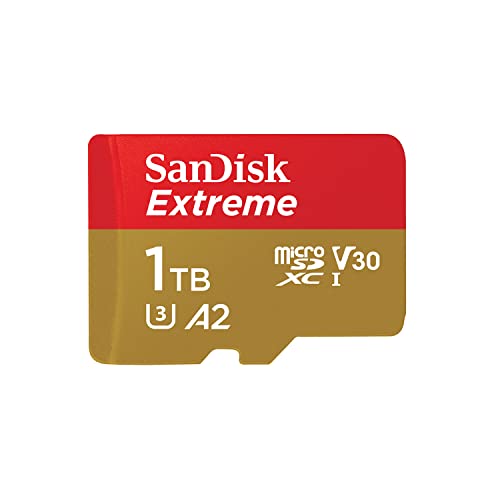
SanDisk Extreme microSD 190MB/s
This is the default answer for most people who need a 1TB microSD for a camera, phone, or handheld console. The 190MB/s read rating is fast enough for comfortable file offloading, and the included full-size adapter means it works in any SD slot without extra purchases. Owners praise its reliability over years of daily use and the consistent performance at this price point.
- Pro: Fast enough for 4K and full HD sequential recording without dropped frames.
- Pro: Full-size adapter included, expanding compatibility without a separate card.
- Con: Sustained write speed is not published, so long continuous recordings may not match the peak read figure.
Skip it if you need guaranteed write speeds for professional video or if your device supports UHS-II and you want faster transfer times.
SanDisk Extreme PRO SDXC
The Extreme PRO SDXC targets camera users who need UHS-I performance with explicit 4K UHD certification. The V30 and U3 markings confirm sustained write capability for high-bitrate video. At nearly $280, it costs significantly more than microSD alternatives, but the full-size form factor eliminates adapter variables and the card is designed for bodies with native SD slots.
- Pro: Clear 4K UHD certification gives confidence for long-form video recording.
- Pro: Full-size form factor avoids adapter-related compatibility issues.
- Con: Price sits well above comparable microSD options without a proportionally higher speed rating.
Skip it if you can use microSD instead and do not require the physical size for a specific legacy camera.
SanDisk Extreme microSD 245MB/s
This card sits in the performance tier for creators who work with large files — drone footage, multi-hour 4K sessions, or burst photography. The 245MB/s read rating represents a meaningful jump over the 190MB/s version, translating to noticeably faster card-to-computer transfers. At $269.99, you pay a premium for that throughput.
- Pro: Among the fastest UHS-I microSD read speeds available, reducing transfer wait times.
- Pro: Backed by the same SanDisk reliability reputation that owners trust for irreplaceable footage.
- Con: Write speed is not published, so the headline figure mainly benefits read-side workflows.
Skip it if your primary bottleneck is write performance for continuous video rather than transfer speed to a computer.
Lexar Play Blue microSD
Lexar positions the Play Blue at gamers and Android users who want fast app loading and 4K capability at a low price. The A2 app performance class means games and apps stored on the card load quickly, and 160MB/s read is competitive for the cost. At $157.52, it is the cheapest card in this roundup.
- Pro: A2 rating delivers measurable speed advantages for app and game loading on handhelds.
- Pro: Lowest price in the group with V30 and U3 still intact for video work.
- Con: Owners report more variability in sustained performance compared to SanDisk equivalents at similar classes.
Skip it if you need maximum reliability for professional or irreplaceable content capture.
Amazon Basics microSDXC
The Amazon Basics option exists to compete on price while meeting minimum specs for 4K and app use. The 100MB/s read rating is the slowest here, and the card is clearly aimed at users who need capacity more than speed. A2 and U3 markings confirm it can run apps and record video, but don’t expect brisk transfers.
- Pro: Covers basic requirements — A2, U3, and 4K — at a middle-of-the-road price.
- Pro: Full-size adapter included for camera compatibility.
- Con: Read speed trails every other card in this list by a wide margin, meaning slow offloads.
Skip it if you transfer large files regularly or need fast loading for a gaming handheld.
SanDisk Extreme PRO UHS-I 250MB/s
At $309.99, this is the most expensive card here and the fastest on paper. The 250MB/s read rating appeals to professionals who offload dozens of gigabytes per shoot and value every second saved during transfers. The Extreme PRO branding carries the highest reliability expectations in the SanDisk lineup.
- Pro: Highest published read speed in this comparison, ideal for time-sensitive workflows.
- Pro: Extreme PRO tier implies stronger endurance and warranty support.
- Con: Premium price with diminishing returns for anyone whose workflow is not transfer-bound.
Skip it if your budget allows the 245MB/s version, which costs $40 less with nearly identical specs.
SanDisk Ultra microSD 150MB/s
The Ultra line is SanDisk’s value tier, and this 1TB variant at $169.99 suits continuous-recording devices like dash cams and security systems that write sequentially all day but rarely need fast reads. The 150MB/s figure is modest, and the card lacks the Extreme PRO endurance features.
- Pro: SanDisk brand reliability at a price that makes single-card replacement painless.
- Pro: Well-suited to always-on recording where write consistency matters more than peak speed.
- Con: No published write speed and no A2 rating, so app loading and 4K video are less certain.
Skip it if you also want the card for fast transfers or app storage on a gaming device.
TEAMGROUP A2 Pro Plus
TEAMGROUP targets this card explicitly at Nintendo Switch and Steam Deck owners, and the 160/110MB/s read-write split makes it one of the few with a published write speed in this group. That 110MB/s write figure is practical for game installs and 4K capture. At $159.99, it competes directly on value.
- Pro: Published write speed of 110MB/s removes guesswork for sustained recording workloads.
- Pro: A2, V30, U3, and UHS-I together cover every use case in the gaming handheld niche.
- Con: Brand is less established in the storage market, so long-term durability data is thinner.
Skip it if you need the strongest warranty backing or irreplaceable professional footage.
Buying Guide
Read Speed vs. Write Speed: Which Matters More
Manufacturers advertise read speed because it is the easiest figure to measure and the one that benefits transfers to a computer. Write speed determines whether a card can sustain your camera’s bitrate without dropping frames. If you shoot video, look for a V30 or higher video speed class rating, which guarantees a minimum sustained write of 30MB/s. For still photography bursts, U3 ensures the card handles sequential writes without stalling your buffer.
UHS-I vs. UHS-II and Device Compatibility
All eight cards here use UHS-I, the most common interface with a theoretical ceiling around 104MB/s bus speed. UHS-II cards double that ceiling but require a compatible camera slot. Before paying more for a UHS-II card, confirm your device supports it. Most drones, phones, Switch consoles, and dash cams do not. UHS-I remains the practical choice for the widest range of devices at this capacity.
Endurance and Warranty at 1TB
At 1TB, NAND density is high and cell degradation under repeated writes becomes a real concern. If you record continuously — dash cam, security footage, timelapse — you cycle through the full card every few days. Prioritize cards with a published write speed and a strong warranty, because the failure rate at high capacities is measurably worse than at 128 or 256GB. SanDisk’s Extreme PRO line carries the longest warranty expectations in this group.
Our Verdict
The top pick is the SanDisk Extreme microSD 245MB/s at $269.99. It delivers the fastest practical read speed in the UHS-I tier, carries SanDisk’s reliability reputation, and the price gap over the 190MB/s version is modest for the transfer-time savings over hundreds of gigabytes of footage.
The budget pick is the Lexar Play Blue at $157.52. It meets every baseline spec — V30, U3, A2, 160MB/s read — and the lowest price in the group makes it a strong default for Switch owners or anyone who fills multiple cards across devices.
One condition under which another product wins: if you need a confirmed sustained write speed for professional video capture and cannot rely on peak read figures as a proxy, the TEAMGROUP A2 Pro Plus with its published 110MB/s write rating is the most transparent option in this comparison.
FAQ
Can my device actually use a 1TB SD card?
Most cameras, drones, and modern phones support SDXC cards up to 2TB, so a 1TB card is within standard specification. Older Nintendo Switch models and early Android phones may cap at 256GB or 512GB, so verify your device’s maximum supported capacity before purchasing.
Is a microSD card with an adapter as good as a full-size card?
Performance is identical because the adapter adds no active electronics. The only risks are physical: a loose adapter in a camera slot can interrupt contact, and full-size cards have no moving parts at all. For professional shoots, a native full-size card removes one variable.
How fast can I expect to fill a 1TB card?
At a typical 100Mbps 4K bitrate, recording consumes roughly 45GB per hour, meaning the card fills in about 22 hours of continuous video. Most users will offload files well before reaching that limit unless running a dash cam in loop mode.
Do I need an A2 rating for a dash cam or security camera?
No. A2 is an app performance class that measures random read and write speeds relevant to loading games or mobile apps. Dash cams and security cameras perform sequential writes exclusively, so U3 or V30 ratings are the ones that matter for those devices.









