Key takeaways
- Thirteen sensors illuminate framing across a seven-inch display zone.
- Rated 1.7-inch stud depth requires no startup calibration.
- Integrated level and pencil caddy speed repetitive layout marks.
A wall-mounted shelf needs fastener locations you can trust, not just an illuminated spot on drywall. A stud finder can point to framing, but the display style, usable depth and treatment of concealed wiring change how much confidence you should place in a reading. These six specific US-market tools cover quick picture-hanging jobs, repeated cabinet installations and more complicated renovation checks. None should be treated as proof that a wall is free of wiring or plumbing.
Quick Verdict: The Franklin Sensors ProSensor M210 is Best Overall for repeat drywall work because 13 sensors feed a 21-LED, seven-inch-wide display and the advertised stud-detection depth is 1.7 inches. For a shorter shopping list and lower cost, consider the Franklin ProSensor M50 at $24.99. These are editorial selections from published manufacturer information as of October 2026, not in-house tests. Check current pricing and your wall type before ordering.
As an Amazon Associate we earn from qualifying purchases.
By DIY Ideas 4 Home Editorial Team
6 Best Stud Finders Reviewed
We selected currently listed individual models and compared the wood-framing detection claim, the way each tool marks a stud, and how clearly it separates stud searches from electrical or metal scans. Manufacturer product pages and instruction manuals supplied the technical evidence, with named US retailer listings supplying selected October 2026 prices. The prices span roughly $25 to $89 in this group. Before drilling, consult the wall’s construction and de-energize relevant circuits; an absent wire warning does not establish a safe drilling path.
| Product | Best For | Key Spec | Listed Price (as of October 2026) | Watch Out For |
|---|---|---|---|---|
| Franklin Sensors ProSensor M210 | Best Overall, repeated drywall layout | 13 sensors, 21 LEDs, 1.7-in stud depth | $59.99, Franklin MSRP | Wide housing near corners; AC alert is not clearance |
| Franklin Sensors ProSensor M50 | Best Budget, occasional mounting | 5 sensors, 5 LEDs, 1.5-in depth | $24.99, Franklin MSRP | Shorter display, AA batteries extra |
| Zircon MultiScanner HD900c OneStep | Best for multi-material checks | StudScan 0.75 in; DeepScan 1.5 in | $69.99, Zircon | Mode selection and on-wall calibration needed |
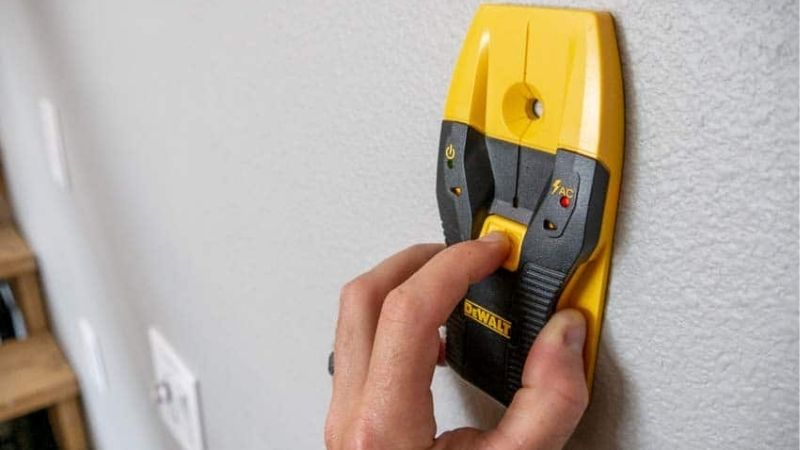
| DEWALT DW0150 | Best for single center marks | Manual: wood through up to 1-in drywall | $36.97, Home Depot | Wood-depth wording differs between brochure and manual |
| Bosch GMS120-27 | Best for remodeling diagnostics | Wood beams up to 30 mm behind drywall | $89.00, Lowe’s | 4.75-in metal rating is not wood-stud range |
| Klein Tools ESF100 | Best for wall-friendly scanning | 7 LEDs, wood/metal to 1.5 in | $39.98, Lowe’s | No energized-wire detection |
Franklin ProSensor M210: Best Overall
Best For: Remodelers marking multiple stud centers across long drywall runs where an edge-only beep would slow work.
The M210 makes the purchase case through its display rather than a long menu of modes. Its LED array shows a section of framing as you move across the wall, allowing the operator to interpret a double stud or a wide return differently from a conventional single-center indicator. That is particularly useful beside windows, where framing geometry can depart from an uncomplicated 16-inch spacing assumption. The drawback is its broad body: there may be too little room to seat it flat immediately next to trim or a tight inside corner.
Franklin’s product page for the ProSensor M210 specifies 13 sensors, 21 LEDs and a manufacturer-rated 1.7-inch detection depth for wood and metal studs. Its comparison page states a seven-inch display width, while the instruction sheet explains that startup calibration is unnecessary and two AA batteries supply power. The $59.99 price is Franklin’s published MSRP for October 2026, not a promise about a third-party checkout. The live-wire meter reports a changing signal, rather than positively identifying a cable or certifying a route safe for drilling.
The illuminated display stretches across roughly seven inches of the housing; allow sufficient clearance to keep its contact surface flat on the wall. The built-in bubble vial and pencil holder reduce tool changes during marking, but the broad electronics cannot identify every density change as lumber. Franklin’s M210 operating instructions warn that pipes, gas lines and irregular finishing material may also be indicated. They further caution that the wire alert is optimized near studs and cannot find every energized conductor. Confirm a proposed screw position by scanning at another height and tracing nearby outlets before penetrating the surface.
Pros:
- Thirteen sensors illuminate framing across a seven-inch display zone.
- Rated 1.7-inch stud depth requires no startup calibration.
- Integrated level and pencil caddy speed repetitive layout marks.
Cons:
- Wide scanning face is inconvenient immediately beside door casing.
- Live-wire meter cannot rule out concealed or de-energized cables.
Who Should Buy It: Pick the M210 when you routinely place long rows of fasteners; choose the Franklin Sensors ProSensor M50 for infrequent small-wall jobs that do not justify the extra display area.
Franklin ProSensor M50: Best Budget
Best For: Homeowners hanging occasional shelves on straightforward drywall who want full-width LED cues without paying for a premium scanner.
Its advantage over the other low- and mid-priced entries is a simple operating approach: press the button, hold the sensor against the wall and interpret the LEDs. No initial calibration stage is required. Five sensors give less lateral information than the M210’s 13, so the M50 asks for more deliberate movement when facing closely grouped framing. For a household that installs a curtain rod twice a year, that trade can be reasonable; contractors scanning a room every morning are more likely to value the M210’s wider view.
Franklin’s product page for the ProSensor M50 lists five sensors, five LEDs, 1.5-inch detection depth and a live-wire warning at an October 2026 MSRP of $24.99. Its English operating instruction sheet specifies two AA batteries and explains that the tool senses density differences, not a unique material signature. Harbor Freight’s M50 listing corroborates 1.5-inch capacity and says its particular store item is supplied without batteries; the retailer shows $26.99 for SKU 57220. Battery costs therefore belong in the buying decision despite the low instrument price.
Harbor Freight’s specification table gives the M50 a length of 6.75 inches, a width of 2.8 inches and a height of 1.75 inches. This is smaller across the wall than the M210’s display and easier to pack in a kitchen drawer or tool bag. The manufacturer’s manual specifically discourages use on tile, flooring, roofing and exterior assemblies because materials can defeat density interpretation. It also notes that uneven plaster and reinforcement mesh can complicate readings. In those situations, paying less does not necessarily make this the economical choice if you still need specialized verification.
Pros:
- Manufacturer MSRP of $24.99 is lowest among these six tools.
- Five LED positions report stud edges without startup calibration.
- Compact 6.75-inch body works for occasional household mounting tasks.
Cons:
- Five sensors show less of complex framing than the M210.
- AA cells are extra with Harbor Freight’s listed M50 unit.
Who Should Buy It: Choose the M50 for intermittent picture rails and basic shelves; move to the Zircon MultiScanner HD900c when you specifically need separate metal and AC scanning modes.
Zircon MultiScanner HD900c: Best for Multiple Modes
Best For: Users examining ordinary wall framing plus suspected copper pipe, ferrous metal or energized wiring before minor renovations.
The HD900c earns its place because it treats different hidden-object questions as different scanning jobs. Rather than expecting one light pattern to tell you whether an object is a stud or a pipe, it offers dedicated StudScan, DeepScan, Metal Scan and AC Scan modes. That range makes it a more directed troubleshooting instrument than the Franklin M50, but there is added technique to learn. A rushed sweep in the wrong mode is not a sound substitute for a second confirmation method.
Zircon’s product page for the MultiScanner HD900c OneStep gives StudScan a standard depth of up to 0.75 inch, DeepScan a 1.5-inch range, and metal scanning up to 1.5 inches for copper or 3 inches for ferrous rebar. It also lists live, unshielded AC detection up to 2 inches under specified drywall conditions. The $69.99 listed October 2026 price is shown directly by Zircon. Its separate HD900c instruction manual requires on-wall calibration in stud modes and describes automatic correction when a scan began too near a stud.
The housing measures approximately 7.72 inches tall, 3.23 inches wide and 1.59 inches deep according to Zircon’s current HD900c product specification; an alkaline 9V battery is required. A backlit, multicolor display and projected center pointer aid marking when light falls unevenly across the wall. Zircon explicitly says that moisture, wall texture and construction materials affect accuracy and advises against using this model on lath-and-plaster walls. It is intended for indoor use and is water resistant, not waterproof. Those constraints matter more than the sheer count of functions on the package.
Pros:
- Four modes separate stud searches from metal and AC investigation.
- DeepScan reaches a manufacturer-rated 1.5 inches in qualifying walls.
- SpotLite pointer and backlit display clarify stud-center marking positions.
Cons:
- Requires correct mode choice and a brief calibration pause.
- Manufacturer excludes lath-and-plaster applications despite deep-scan mode.
Who Should Buy It: Buy the HD900c when material-specific scanning justifies setup time; the DEWALT DW0150 is simpler for repeatedly marking one drywall stud center.
DEWALT DW0150: Best for Single Center Marks
Best For: DIY installers who prefer a directional arrow and a center-marking groove for spaced shelf brackets or wall anchors.
DEWALT’s appeal is the directness of its center-finding workflow. Rather than reading an illuminated strip across several studs, the operator follows arrows, listens for the audible cue and makes a mark through the dedicated channel. Constant automatic calibration also avoids repeated mode selection while moving across a conventional wall. Compared with the Franklin M210, it trades visual framing context for a focused single location, a distinction that matters when a mounting bracket has only one desired screw hole.
DEWALT’s product page for the DW0150 markets center detection through up to 1.5 inches for wood and metal; however, the DW0100/DW0150 owner’s manual has a narrower wood-specific table, stating detection through up to 1 inch of drywall for wooden studs and up to 1.5 inches for metal. That difference is material and should not be hidden behind the larger brochure number. The manual also states a center-position accuracy of approximately one-quarter inch under its defined conditions and uses two AAA batteries. Home Depot’s October 2026 US listing advertises $36.97 for the DW0150.
Home Depot Canada’s product specifications list an assembled weight of about 0.54 lb for the DW0150, although packaging dimensions on retail sites should not be mistaken for the sensing face. The included AAA power source and compact profile make this a convenient addition to a home tool drawer. DEWALT advertises live-AC alerts, but its manual warns that detection distance and wall conditions affect such readings; no indication is not a guarantee of an empty cavity. For old walls with layered finishes, respect the tighter documented wood-depth condition rather than the product headline.
Pros:
- Directional LEDs and groove establish one repeatable center-marking point.
- Two AAA batteries are included with the listed product.
- Automatic recalibration simplifies moving between normal drywall locations.
Cons:
- Manual specifies shallower wood detection than marketing summary suggests.
- Single-point feedback reveals less framing geometry than the M210.
Who Should Buy It: Select the DW0150 for evenly spaced bracket holes and quick centered marks; prefer the Bosch GMS120-27 if the work also involves identifying metal types near existing services.
Bosch GMS120-27: Best for Remodeling Diagnostics
Best For: Renovators who must distinguish ordinary wooden backing from metallic objects when examining existing interior wall assemblies.
The Bosch GMS120-27 belongs in this selection as a compact wall scanner with material identification, not because it has the largest number printed on the box. Its interface identifies metal and nonmetallic objects and marks a detected center through the illuminated ring, potentially clarifying an ambiguous signal before work begins. That differs from the DW0150’s straightforward stud-center feedback. The cost is higher, the modes require attention and, crucially, the deepest metal-detection rating says little about how far it can sense wood framing.
Bosch’s product page for the GMS120-27 specifies metal detection up to 4 inches for steel and up to 4.75 inches for nonferrous metal, with live copper-wiring detection up to 2 inches. Bosch Professional’s technical FAQ separately limits wooden-beam detection in drywall to 30 mm, roughly 1.2 inches, under stated conditions. Its October 2026 Lowe’s US listing shows $89.00 for the individual GMS120-27. Both two AA batteries and a soft pouch are supplied; Bosch also describes a compatible 3.7V lithium-ion battery option sold separately. This is a genuinely more specialized tool, not a four-inch stud finder.
Bosch’s US specification lists the scanner as 7.32 inches long, 3.4 inches wide and 1.3 inches high, weighing 0.64 lb. The IP54 rating addresses dust and splashing exposure, rather than permission to scan wet assemblies or confirm that a detected object is harmless. The marking hole helps transfer the center of a target without guessing where an edge of the housing falls. Before mounting cabinets near plumbing and receptacles, use the detector to build a picture of the wall, then compare that picture with known service routes. A confusing return may call for a qualified tradesperson rather than another hole.
Pros:
- Material-identification interface distinguishes metal from nonmetallic scan responses.
- IP54 enclosure and rubber cushioning suit routine remodeling environments.
- Includes two AA cells and a soft carrying pouch.
Cons:
- $89.00 asking price exceeds ordinary one-function stud finders.
- Wood depth is about 1.2 inches, not 4.75 inches.
Who Should Buy It: Choose the GMS120-27 for renovation surveys with several material types; buy the Klein Tools ESF100 instead when protecting painted drywall during simple shelving work is the priority.
Klein Tools ESF100: Best for Wall-Friendly Scans
Best For: Picture and cabinet installers who repeatedly slide a detector across finished paint and prefer illuminated full-width cues.
Klein’s ESF100 combines relatively straightforward stud finding with small touches for repeat use: felt contact pads, a bubble vial, a hold mode and a mute option. These are helpful when a quiet apartment installation involves numerous marks across freshly painted walls. Unlike the HD900c, there is no separate menu for tracing live wires or identifying copper. That is a meaningful limitation, but it also means you are not paying for a function you might mistake for an electrical safety clearance.
Klein’s product page for the ESF100 identifies seven green LEDs that display stud width, wood and metal detection to a stated 1.5 inches, and two AA batteries included. The manufacturer’s ESF100 instructions specify an approximate 30-hour maximum runtime under their stated test conditions and a 6.6-foot drop-protection rating. Lowe’s October 2026 listing shows $39.98 for ESF100, placing it near the DEWALT DW0150 rather than in the costly multi-scanner tier. The instructions explicitly state this model does not detect live wires; its appearance in a stud-finder roundup must not imply otherwise.
The ESF100 measures 7 inches long, 4.5 inches high and 2.25 inches wide, with a published 10.4-oz weight including batteries. A separate hold mode allows scanning without keeping constant pressure on the trigger, and the marking indentations make the center line easier to transfer. Klein’s manual warns that a scanner may react to pipes, wires or other density irregularities as if they were framing and that unrecognized objects may remain hidden. Felt pads can reduce marking risk on ordinary paint, but grit trapped underneath still needs to be cleared before every pass.
Pros:
- Seven LEDs display stud width up to 1.5 inches deep.
- Felt pads and two center notches support finished-wall marking.
- Hold mode and mute switch suit repetitive indoor installations.
Cons:
- Has no live-wire detection, unlike the DEWALT DW0150.
- Seven-inch body can require extra clearance beside molding.
Who Should Buy It: Take the ESF100 for carefully finished interiors where continuous scanning matters; choose the Franklin Sensors ProSensor M210 if interpreting closely spaced or doubled framing is the harder part of the job.
How to Choose a Stud Finder
Start with what is between the scanner and the framing. A sensor that handles ordinary painted drywall may produce vague or incorrect results over tile, foil-backed surfaces, thick plaster or metal lath. For mounting jobs in common residential drywall, wood-depth claims, display behavior and warning limitations are useful shopping filters, but no specification substitutes for checking the actual wall.
Compare Wood Depth, Not the Largest Depth Figure
The six products show why one advertised depth can mislead. Franklin specifies 1.7 inches for the M210 and 1.5 inches for the M50. Klein states 1.5 inches for the ESF100, while Zircon changes from 0.75-inch StudScan to 1.5-inch DeepScan. Bosch lists 30 mm for wood framing but far more for nonferrous metal; DEWALT’s own manual gives a tighter wood-through-drywall condition than its general product description. Use the wood-specific number from the model manual, with its substrate conditions, before assuming a tool will read a layered wall.
Nominal detection depth is not the same as a promise of consistent results at that depth. Moisture, mesh, uneven filler, wallpaper and floor or tile surfaces can shift the response. A detector designed for drywall is especially ill suited to making confident decisions over lath reinforced with metal. If your target is behind an unusual assembly, consult the actual manufacturer’s application exclusions and be prepared to investigate with non-destructive professional methods.
Decide How You Want the Stud Indicated
A center-arrow finder such as the DW0150 is convenient when you intend to mark one bracket hole. A wide-array unit such as the M210 displays more of a stud and can help interpret doubled lumber. The M50 and ESF100 provide smaller LED patterns, while Zircon offers a guided center pointer plus mode-dependent information. Bosch adds material identification and a marking hole, a different strength from merely showing a wider stud. Select a readout you can understand immediately rather than the one with the longest feature label.
Repeatability matters at the work site. Scan horizontally across the suspected stud, then move vertically and rescan to see whether the indication tracks a plausible framing member. Compare the result with other studs, nearby outlets and the building’s structure before drilling. An LED pattern is a location clue; it does not establish fastener capacity or the quality of the actual lumber behind finished drywall.
Check AC Alerts, Batteries and Ownership Costs
The M210 and M50 advertise wire alerts, as do the Zircon HD900c, DEWALT DW0150 and Bosch GMS120-27. Klein’s ESF100 explicitly omits that feature. Neither presence nor absence of a warning system confirms a safe hole: detectors may miss shielded, de-energized or unusually positioned conductors. Manufacturers including Franklin and Klein instruct users to consider other sources of information and shut off relevant electric, gas and water supplies before penetrating a surface. Use appropriate electrical testing and a qualified professional when service routes are uncertain.
Purchase cost is mostly upfront because these models use replaceable household batteries rather than paid subscriptions. Franklin’s M50 may be the cheaper item at $24.99, but the Harbor Freight version requires separately purchased AA batteries. Klein’s ESF100 and Bosch’s GMS120-27 listings include their initial AA cells, while Zircon requires a 9V battery. Before choosing a promotional price, compare the exact SKU, battery inclusion, return conditions and the availability of the manufacturer’s instructions; those details will matter at the next renovation.
Frequently Asked Questions
These questions address practical wall conditions and follow-up checks that the comparison table cannot resolve. They also explain why the highest-priced detector is not always the right purchase.
Will These Tools Work Through Ceramic Tile?
Not reliably on every tiled assembly. Franklin’s ProSensor M50 instructions advise against tile because variable density can create ambiguous readings; Zircon similarly limits the HD900c to appropriate indoor wall materials and excludes lath and plaster. Adhesive thickness, cement board and metal mesh can prevent an ordinary drywall-mode scan from meaning what you expect. For a tile-covered bathroom wall, identify the specific backing and service routes before choosing a scanning method or drilling location.
Can I Locate a Stud Without Any Batteries?
Yes, a separate magnetic finder can detect ferrous screws or nails used to fasten wallboard, but none of the six electronic units reviewed here works without its specified power source. The magnetic approach may indicate fastener locations rather than the exact stud’s full width. If you only hang an occasional lightweight frame and accept a slower search, a simple magnetic tool can be reasonable; for frequent center measurements, an electronic display has practical benefits.
Do I Need a Different Tool for Metal Studs?
Usually not for identifying a likely metal-stud position, because all six models include metal-framing detection in their stated capabilities. However, a metal stud does not automatically accept the same mounting fastener or load as a wood stud. Use anchors and screws specified for the wall assembly and item weight, especially for a large TV mount or wall cabinets. Detection answers where framing might be; structural capacity is a separate installation decision.
What if Two Scans Give Different Locations?
Stop and verify instead of choosing the midpoint of conflicting signals. Dirt under the housing, a weak battery, wall moisture, plaster patches or an uneven sweep can affect the indication. Zircon’s HD900c guide requires an on-wall calibration interval before beginning a stud-mode scan, while Franklin’s M210 uses an immediate no-calibration approach. Follow the instructions for the specific model, rescan in another direction, and investigate suspect wiring or plumbing before making holes.
Final Thoughts
The Franklin Sensors ProSensor M210 remains the Best Overall stud finder for repeated drywall work because its 13-sensor, 21-LED layout shows more framing context than a single center arrow. But a carefully marked one-hole installation can favor the less expensive DEWALT DW0150, while the Bosch GMS120-27 is the better purchase when distinguishing concealed materials is the larger task. Before checkout, check the current price and your wall’s construction; before drilling, trace likely services and verify the location independently rather than treating any detector’s silence as permission to proceed.