Our Top Picks



If you want one standing desk converter that is built around two monitors from the start, the Mount-It! Electric Standing Desk Converter with dual monitor arms is the best overall pick: it is motorized, has a wide desktop of about 35.4 inches, and arrives with arms for two screens up to 32 inches each. A standing desk converter is a riser that sits on top of your current desk and lifts the monitors and keyboard together, so you can switch between sitting and standing without buying a new desk. If you would rather skip the motor and the power cord, the VIVO and FlexiSpot models below give you plenty of room too.
Quick List
- Mount-It! Dual Monitor Converter – best for a manual lift with two screen mounts included
- VIVO 32 Inch Dual Monitor Converter – best for a compact desktop with a wide keyboard tray
- VIVO 32 Inch Manual Converter – best for adding your own monitor arms or a single large display
- VIVO 36 Inch Converter (DESK-V036KB) – best for a wider surface for two monitors and a laptop
- Mount-It! Electric Dual Arm Converter – best for one-touch motorized height changes
- FLEXISPOT 36 Inch Dual Monitor Riser – best for a large workstation surface with ergonomic height adjustment
Which One Is Right for You?
| If you… | Choose |
|---|---|
| Want a motor so you can change height with a button | Mount-It! Electric Dual Arm Converter |
| Want two monitor mounts supplied with a manual converter | Mount-It! Dual Monitor Converter |
| Need the widest listed surface for two screens plus a laptop | VIVO 36 Inch Converter (DESK-V036KB) |
| Have a small desk and want a 32 inch wide footprint with dual monitor support | VIVO 32 Inch Dual Monitor Converter |
| Already own monitor arms or plan to use one big screen | VIVO 32 Inch Manual Converter |
| Want a modern sit-stand workstation with a large surface | FLEXISPOT 36 Inch Dual Monitor Riser |
The biggest decision is manual versus motorized. A manual converter has fewer parts that can fail and no cord to plug in, but you lift it by hand. A motorized one is easier on the arms and remembers a comfortable height, but it needs an outlet and adds a mechanism. After that, match the desktop width and weight limit to the two monitors you plan to use.
All 6 Picks in Detail
1. Mount-It! Dual Monitor Converter – Best for a Manual Lift with Mounts Included
As an Amazon Associate we earn from qualifying purchases at no extra cost to you.

This is a good starting point for anyone who wants the converter and the monitor mounts to come from one maker. The listing describes a height-adjustable desk riser in black, with two screen mounts included, large enough to be sold as a dual monitor solution. Because the mounts arrive with the unit, you avoid the guesswork of matching a separate pair of arms to a separate platform.
- Standing desk converter designed for two monitors, with two screen mounts included
- Black finish, per the listing
- Height adjustable; confirm whether the lift is gas spring or crank-assisted on the product page
- Desktop size, monitor size limit and total weight capacity: confirm on listing
- Keyboard tray details: confirm on listing
Pros
- Monitor mounts supplied with the converter
- Works for a two-screen setup out of the box
- No motor or power cord needed if it is the manual version
Cons
- Installation of the mounts and clamps takes some time
- You need to confirm the monitor size and VESA pattern limits first
Next to the electric Mount-It! model, this is the lower-complexity option; the electric one is the one to choose if you change height many times a day.
2. VIVO 32 Inch Dual Monitor Converter – Best for Compact Desks
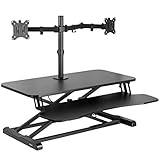
The 32-inch black desktop on this VIVO converter suits a standard home-office desk where a 36-inch riser would overhang. The listing says the desktop holds 33 pounds, it is height adjustable, it has a wide keyboard tray, and it comes with a dual monitor stand, so it positions itself as a compact way to get two displays up on a riser. The 33 pound figure is the number to keep in mind when you add up what will sit on it.
- 32 inch black desktop surface, per the listing
- Desktop stated to hold 33 pounds
- Height adjustable standing desk riser
- Wide keyboard tray included
- Dual monitor stand listed; confirm monitor size limits and mount type on the product page
Pros
- Narrower footprint than the 36 inch models
- Keyboard tray lets you separate typing height from screen height
- Includes a monitor stand for two screens
Cons
- The 33 pound limit is tight for two large monitors plus a laptop
- Less surface area for papers or a second keyboard
It is the practical middle choice between the compact VIVO manual riser and the wider VIVO 36 inch model.
3. VIVO 32 Inch Manual Converter – Best for Your Own Monitor Arms

This VIVO riser is described as a manual height-adjustable standing desk converter with a 32 inch black top that holds 33 pounds and a wide keyboard tray. Unlike the previous VIVO listing, the name shown does not mention a dual monitor stand, so it reads as a general-purpose riser. That makes it a flexible base if you plan to clamp your own monitor arms or put one large ultrawide display on it.
- Manual height adjustment, per the listing
- 32 inch black desktop that holds 33 pounds
- Wide keyboard tray included
- Monitor mount or stand included: confirm on listing
- Maximum height and lift mechanism: confirm on listing
Pros
- Flexible: use the surface your way
- Manual design avoids a power cord
- Same compact footprint as its dual-monitor sibling
Cons
- May require a separate purchase for two-monitor mounting
- Weight limit of 33 pounds restricts heavy displays
Choose it over the dual-monitor VIVO 32 inch model if you already own monitor arms; otherwise the other listing saves a step.
4. VIVO 36 Inch Converter (DESK-V036KB) – Best for a Wider Surface

The DESK-V036KB model name appears in the listing, and it is a 36 inch black standing desk riser with a wide keyboard tray and a surface described as suitable for dual monitors and a laptop. Width is the point: with 36 inches you can place two 24-inch monitors side by side and still have a little room for a notebook or a mouse pad. It is the best VIVO choice if you routinely run a laptop alongside two displays.
- 36 inch black desktop, per the model name
- Height adjustable standing desk riser
- Wide keyboard tray
- Described as suitable for a dual monitor and laptop arrangement
- Weight capacity, lift mechanism and maximum height: confirm on listing
Pros
- More room for two displays and a laptop
- Keyboard tray separates keyboard height from screen height
- Manual operation, in the same family as the 32 inch VIVO models
Cons
- Larger footprint needs a deeper, wider desk
- Capacity is not stated in the short name, so verify before loading it
Pick this over the 32 inch VIVO converters when width matters more than saving desk space.
5. Mount-It! Electric Dual Arm Converter – Best for Motorized Height Changes

This is the motorized option in the group, and it comes with dual monitor arms for two screens, with a stated maximum of 32 inches. The large 35.4 inch wide desktop gives you room for two displays and some desk accessories. A motor is helpful if you plan to stand often or share the converter between people who prefer different heights, because a single button replaces lifting by hand.
- Electric, motorized lift
- Dual monitor arms for two screens, with a 32 inch maximum noted in the listing
- 35.4 inch wide desktop
- Finish and color: confirm on listing
- Weight capacity, height range and speed: confirm on listing
Pros
- Push-button height changes
- Monitor arms included for two screens
- Roomy desktop surface
Cons
- Needs a nearby outlet and cable management
- More electronics than a manual riser
Compared with the manual Mount-It! model, this is the better pick when you transition between sitting and standing several times a day.
6. FLEXISPOT 36 Inch Dual Monitor Riser – Best for a Large Sit-Stand Workstation

FLEXISPOT is known for sit-stand products, and this 36 inch converter is listed as a dual monitor desk riser and a sit-stand computer workstation with ergonomic height adjustment and a large stand surface. The listing name does not give weight capacity or lift type, so read those fields before you commit. The 36 inch width puts it in the same class as the VIVO DESK-V036KB.
- 36 inch width, per the listing
- Marketed as a dual monitor desk riser and sit-stand workstation
- Ergonomic height adjustment, per the listing
- Large stand surface
- Lift mechanism (manual or electric), weight limit and keyboard tray: confirm on listing
Pros
- Wide surface for two monitors and accessories
- Designed as a complete sit-stand workstation
- Brand focused on height-adjustable desks
Cons
- Key details are not in the short listing name
- Large footprint needs a deep desk
It competes most directly with the VIVO 36 inch model, so compare lift type and weight capacity before choosing between them.
Specs Compared
| Product | Desktop width | Lift | Monitors | Stated capacity | Keyboard tray |
|---|---|---|---|---|---|
| Mount-It! Dual Monitor Converter | Confirm on listing | Confirm on listing | 2 screen mounts included | Confirm on listing | Confirm on listing |
| VIVO 32 Inch Dual Monitor Converter | 32 inches | Height adjustable; type confirm on listing | Dual monitor stand listed | Desktop holds 33 lbs | Wide tray |
| VIVO 32 Inch Manual Converter | 32 inches | Manual | Confirm on listing | Desktop holds 33 lbs | Wide tray |
| VIVO 36 Inch Converter (DESK-V036KB) | 36 inches | Height adjustable; type confirm on listing | Dual monitor and laptop surface | Confirm on listing | Wide tray |
| Mount-It! Electric Dual Arm Converter | 35.4 inches | Electric motor | 2 arms, 32 inch maximum | Confirm on listing | Confirm on listing |
| FLEXISPOT 36 Inch Dual Monitor Riser | 36 inches | Confirm on listing | Dual monitor riser | Confirm on listing | Confirm on listing |
How We Chose These
This is a research-based guide built from the product set in current catalog listings. We read each listing name and specification fields for the details that decide a dual monitor setup: desktop width, lift type, included monitor mounts or arms, stated weight limits and keyboard tray. We cross-checked what a good monitor and keyboard position looks like against public workstation guidance, and we marked every missing value as “confirm on listing” rather than filling it in. We favored converters that state a width and monitor arrangement over those that only say they fit two screens, and we kept the order of the products as listed. Check the product page for the latest limits before you load the unit.
What to Look For
Weight Capacity and the Real Load
Capacity is the first number to read. Add up everything that will rest on the converter: two monitors, any arms or stands, a laptop, a keyboard, a mouse and loose items. Here is a worked example. Many 24 to 27 inch monitors weigh roughly 8 to 15 pounds without the stand, but check your own spec sheet. Two 12 pound monitors add up to 24 pounds, a thin laptop adds about 4 pounds, and a keyboard and mouse add about 2 pounds. That is about 30 pounds, which is already close to the 33 pound surface limit listed for the VIVO 32 inch models. If your total is within a few pounds of the limit, choose a higher-capacity unit or lighter monitors. Also check whether the stated limit covers only the desktop or the whole system including the keyboard tray, because tray limits are often lower.
A second check is monitor placement. Heavy displays mounted far from the center of the platform create a tipping moment, so keep the arms close to the center post and the heaviest screen nearest the support. If the listing gives a separate figure for the arms or stand, treat the lowest of the stated numbers as your real limit.
Manual, Gas Spring or Electric Lift
Manual converters rely on a lever, crank or gas spring to hold position, while electric models use a motor. Manual units are simple and need no outlet, but if the load is heavy the lift can take real effort and the spring may need adjustment. Electric units lift smoothly and are easier for frequent changes, but they add a cord and a control. If you buy electric, keep fingers and cables clear of the lifting mechanism, leave slack in monitor and power cables so nothing pulls tight at full height, and follow the manufacturer’s duty-cycle guidance so the motor is not run continuously.
Width, Depth and Your Existing Desk
A 32 inch converter suits a 48 inch desk better than a 36 inch one, and a deep platform needs enough desk depth to clear a wall or a shelf. Measure the depth of your desk and the space behind it, because the platform rises and moves forward in an arc on many designs. Leave knee room under the keyboard tray when you are seated and enough clearance above your desk hutch if you have one.
Monitor Mounting and Screen Size
Dual monitor converters either include arms or a stand with limits on screen size and VESA pattern. A listing that states a maximum of 32 inches for each screen is clearer than one that says only “dual monitor.” Check the VESA hole pattern on the back of your displays, usually 75 by 75 or 100 by 100 millimeters, and make sure the arms can tilt and rotate. If your monitors do not have VESA holes, you may need an adapter plate or a platform-style stand.
Height Range, Keyboard Position and Posture
The surface should be able to put your keyboard at elbow height while standing and again while sitting, and the screens should have their top edge at or slightly below eye level. Public workstation guidance from OSHA says the monitor should be directly in front of you with the top not above your line of sight, and the keyboard and mouse should be close together at about the same height so your wrists stay straight. A converter with a separate keyboard tray makes it easier to meet both targets, because screen height and keyboard height can be set independently. Move between sitting and standing rather than staying in either position for hours.
Assembly, Stability and Cable Management
Most converters arrive mostly assembled, but dual monitor arms usually need a clamp or bracket fitted to the platform and a short session with a hex key. Plan on setting the unit on the floor or a table first, mounting the arms, then lifting the whole assembly onto the desk with a second person, because a loaded converter is awkward to carry. Once it is on the desk, check that the feet are level and that the platform does not rock when you type. Wobble at full height usually points to an overloaded platform, arms mounted too far toward the edge, or a desk that is not flat.
Cable length is the detail people forget. Monitors, a laptop charger and a USB hub all need enough slack to travel through the full range of the lift. Before you stand up for the first time, raise the platform slowly to its highest position and watch every cable. Use a loose bundle with hook-and-loop ties rather than tight zip ties, and let the bundle hang in a gentle loop behind the unit. With a motorized converter, also make sure the power cord does not catch on the desk edge when the platform travels.
Finally, think about the room around the desk. A raised platform places the monitors closer to the ceiling and farther from the wall, so check clearance below shelves and lights. If you share the desk, mark the preferred sitting and standing heights with a small piece of tape on the side of the frame so each person can return to a good position quickly.
Questions
Can a standing desk converter hold two monitors?
Yes, if the weight limit and mounting hardware allow it. Add up the weight of both monitors, their arms and your accessories, then compare it to the listed capacity. Also confirm the maximum screen size and the VESA pattern supported.
Is a manual or electric converter better?
Manual converters are simpler and need no outlet, while electric ones make frequent changes effortless. If you plan to switch several times a day or share the unit, electric is more convenient. If you stand only occasionally, a manual lift is usually enough.
Will it fit on my current desk?
Measure your desk’s width and depth, then compare them to the converter’s footprint, including the extra depth when it is raised. A 36 inch unit generally needs a desk at least that wide with room to spare, and the base should rest fully on the desk surface.
How tall should my monitors be when I stand?
Set the top edge of the screens at or slightly below eye level, with the screens about an arm’s length away. Keep your wrists straight and your keyboard near elbow height. Adjust in small steps and check again after a day or two.
Is a standing desk converter safe for heavy monitors?
Only within the stated limit. Overloading a converter can make the lift unstable and may damage the mechanism, so keep the total load under the listed capacity and read the assembly instructions for clamp and arm installation.
Can I put a laptop and two monitors on the same converter?
Often yes, if the surface is wide enough and the combined weight stays under the limit. The 36 inch models are the more natural fit for a laptop between or beside two screens. Check the listing for any separate limit on the keyboard tray before parking a laptop there.
Update History
- October 20, 2026 – Initial publication; product set drawn from current catalog listings.
- Check the product page for current specifications and availability before buying.
Sources
- Retailer listing titles and specification fields for each listed converter
- US OSHA Computer Workstations eTool pages on monitor height, keyboard placement and multiple monitors
- Oregon OSHA guidance on evaluating a computer workstation