Key takeaways
- True symmetry, not “reversible-ish”: Check that the return panel mounts to pre-drilled holes on both sides. If the manual only shows one orientation, you will be drilling into particleboard — and that hole will never hold as well the second time.
- Hardware you can reuse: Cam locks and steel bolts into metal inserts survive repeated disassembly. Coarse wood screws driven straight into MDF strip out fast; if that’s what you get, keep a tube of wood glue or toothpicks on hand to pack the hole before re-driving.
- Weight you can move alone: A frame under about 60 lb can be walked across a room by one person. Heavier storage desks are worth it, but plan on partial disassembly and furniture sliders under each foot.
- Cable strategy that travels: Look for storage bags, grommets, or an integrated power strip so your cable management moves with the desk instead of being taped to a wall you don’t own.
- Renter-safe footprint: Adjustable levelers, felt pads, and no wall anchoring required. Measure your narrowest doorway and stairwell before ordering — a 64″ top that won’t turn a corner is a returns label waiting to happen.
What's inside
The best overall reversible L-shaped desk for renters who rearrange often is the Pamray 64.5″ Reversible L-Shaped Desk, with the Pamray 47″ Reversible L-Shaped Desk in black as the runner-up. Both flip their return side left or right using the same hardware holes, so a floor-plan change costs you a screwdriver and fifteen minutes instead of a new desk.
If you rent, your layout is never really finished. A new apartment puts the window on the other wall, the only outlet lands behind the closet door, or your roommate claims the corner. Fixed-orientation corner desks punish that reality — you end up with a return jammed against a doorway or a cable run stretched across a walkway. This guide covers reversible L-shaped desks that a hands-on maker can reconfigure without drilling fresh holes, plus the assembly details that separate a desk you can flip five times from one that strips out after two.
As an Amazon Associate we earn from qualifying purchases.


Quick Comparison
| Product | Best For | Standout Feature | Rating |
|---|---|---|---|
| Pamray 64.5″ Reversible L-Shaped Desk (White) | Most renters, dual monitors | Wide 64.5″ main span with mirrored mounting holes | See card above |
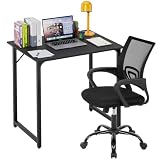
| Pamray 47″ Reversible L-Shaped Desk (Black) | Tight budgets and small bedrooms | Lightest frame here — one-person flip | See card above |
| SEDETA Reversible Farmhouse L-Shaped Desk, 6 Drawers + Hutch | Long-term renters wanting real storage | Six drawers plus a removable hutch | See card above |
| YIDUNLIFE 57″ L-Shaped Desk, 5 Drawers | Two-person and shared home offices | Built-in power strip, 78.7″ total run | See card above |
| Pamray 47″ Reversible L-Shaped Desk (White) | Bright, small rooms and video calls | Light finish that keeps a corner from feeling closed in | See card above |
How to Choose a Reversible L-Shaped Desk for Renters Who Rearrange Often
- True symmetry, not “reversible-ish”: Check that the return panel mounts to pre-drilled holes on both sides. If the manual only shows one orientation, you will be drilling into particleboard — and that hole will never hold as well the second time.
- Hardware you can reuse: Cam locks and steel bolts into metal inserts survive repeated disassembly. Coarse wood screws driven straight into MDF strip out fast; if that’s what you get, keep a tube of wood glue or toothpicks on hand to pack the hole before re-driving.
- Weight you can move alone: A frame under about 60 lb can be walked across a room by one person. Heavier storage desks are worth it, but plan on partial disassembly and furniture sliders under each foot.
- Cable strategy that travels: Look for storage bags, grommets, or an integrated power strip so your cable management moves with the desk instead of being taped to a wall you don’t own.
- Renter-safe footprint: Adjustable levelers, felt pads, and no wall anchoring required. Measure your narrowest doorway and stairwell before ordering — a 64″ top that won’t turn a corner is a returns label waiting to happen.
The Best Reversible L-Shaped Desks for Renters Who Rearrange Often, Reviewed
Best Overall: Pamray 64.5″ Reversible L-Shaped Desk
The sweet spot for renters who want room for two monitors and a mechanical keyboard without committing to a permanent orientation — the mirrored hole pattern means flipping the return is a bolt-out, bolt-in job. Best for anyone who expects to move once a year and wants the flip to stay easy.
Best Budget: Pamray 47″ Reversible L-Shaped Desk (Black)
The lightest and simplest build in this roundup, which makes it the one desk here you can genuinely reposition solo on a weeknight. Ideal for students, first apartments, and bedroom corners where 64 inches simply won’t fit.
Best Premium: SEDETA Reversible Farmhouse L-Shaped Desk with 6 Drawers and Hutch
Six drawers and a hutch replace a separate filing cabinet and shelf, and the hutch lifts off if you want a cleaner profile after a move. Best for renters staying put a few years who’d rather build once and store everything in the desk itself.
Best for Shared Offices: YIDUNLIFE 57″ L-Shaped Desk with 5 Drawers
The 78.7″ total run and built-in power strip make it the strongest two-person option — one outlet feeds both workstations, so you’re not running an extension cord across a rental floor. Best for couples and roommates sharing a single room.
Best for Small Bright Rooms: Pamray 47″ Reversible L-Shaped Desk (White)
Same reversible frame as the black 47″ model, but the white surface bounces light and keeps a cramped corner from reading as a cave on camera. Best for renters with one window and a lot of video calls.
Frequently Asked Questions
How many times can I safely flip a reversible desk?
With cam locks or bolts into metal inserts, effectively indefinitely. With screws driven directly into composite board, plan on two or three cycles before the holes soften — pack them with glue and a sliver of wood, let it cure, then re-drive.
Do I need to fully disassemble the desk to reverse it?
Usually not. On most of these designs you remove the return panel and its legs, then remount them on the opposite side. Lay a towel down, keep hardware in a labeled bag, and photograph each step before you take it apart.
Will these damage a rental floor?
Only if you drag them. Add self-adhesive felt pads to every foot on day one, and use hard-floor sliders when repositioning. On carpet, adjust the levelers after each move so the desk doesn’t rock.
Can I add a standing riser or monitor arm later?
Yes for risers, which just sit on top. Clamp-on monitor arms need a check first: measure your desktop thickness and confirm the clamp zone isn’t blocked by a support rail or drawer box underneath.
Final Thoughts
For most renters, the Pamray 64.5″ Reversible L-Shaped Desk hits the best balance of workspace and flip-friendly hardware, while the Pamray 47″ in black is the smartest small-room and small-budget choice. If you’re settled enough to want built-in storage, the SEDETA Farmhouse L-Shaped Desk with six drawers and a hutch consolidates your whole setup into one piece — and still lets you swap the return side when the next floor plan surprises you.