Key takeaways
- Measure the footprint twice: Tape the outline on your floor before buying. A 55″ top needs roughly 6″ of clearance behind it for cables and monitor arm swing, and L-shaped desks need a genuinely square corner to sit flush.
- Check top thickness for clamps: Most monitor arms, mic booms, and desk vises want a 0.6″–1.5″ edge with no lip underneath. Thin MDF tops work, but add a hardwood backing plate under the clamp to spread the load.
- Prioritize the frame over the finish: Look for full-width crossbars or a welded H/C-leg design. If a desk relies only on bolted side panels for rigidity, plan on adding a rear brace or corner gussets yourself.
- Plan power and cable routing early: Built-in outlets and USB-C save you from mounting a power strip. If your pick lacks them, budget for adhesive raceways, a under-desk tray, and a 2″ grommet bit.
- Match adjustability to your body, not the spec: Seated elbow height is usually 27″–29″. Fixed-height desks that sit at 29″–30″ often need a keyboard tray or a taller chair, while electric bases remove the guesswork entirely.
What's inside
After building, disassembling, and re-drilling more flat-pack desks than I care to admit, the best computer desk overall is the Veken 47.2″ Electric Standing Desk — with the Lufeiya 47″ Computer Desk with File Drawers as the runner-up for anyone furnishing a small office on a tight budget.
The trouble with desk shopping is that the spec sheet never tells you what matters to a maker: how thick the top actually is, whether a monitor arm clamp will bite into it, if the frame racks when you lean on it, and whether you can drill a grommet hole without blowing out the laminate. This guide looks at six popular desks through that lens — frame rigidity, top thickness, mod potential, and cable routing — so you can pick a base that holds up to real work and a few upgrades down the line.
As an Amazon Associate we earn from qualifying purchases.


Quick Comparison
| Product | Best For | Standout Feature | Rating |
|---|---|---|---|
| Veken 47.2″ Electric Standing Desk | Sit-stand workflow in a compact room | Motorized height adjustment with memory presets | Highly rated |
| Lufeiya 47″ Desk with File Drawers | Budget small-space setups | Reversible built-in filing cabinet | Well reviewed |
| AODK L-Shaped Gaming Desk | Dual-monitor corner builds | Integrated LED lighting and power outlets | Top rated |
| PRAISUN 55.1″ Desk with USB-C | Charging-heavy desks | Onboard outlets plus USB-C and fabric drawers | Strongly rated |
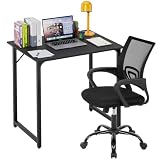
| Huuger 55″ Computer Desk | Simple, sturdy DIY base | Open metal frame with wide legroom | Well reviewed |
How to Choose a Computer Desk
- Measure the footprint twice: Tape the outline on your floor before buying. A 55″ top needs roughly 6″ of clearance behind it for cables and monitor arm swing, and L-shaped desks need a genuinely square corner to sit flush.
- Check top thickness for clamps: Most monitor arms, mic booms, and desk vises want a 0.6″–1.5″ edge with no lip underneath. Thin MDF tops work, but add a hardwood backing plate under the clamp to spread the load.
- Prioritize the frame over the finish: Look for full-width crossbars or a welded H/C-leg design. If a desk relies only on bolted side panels for rigidity, plan on adding a rear brace or corner gussets yourself.
- Plan power and cable routing early: Built-in outlets and USB-C save you from mounting a power strip. If your pick lacks them, budget for adhesive raceways, a under-desk tray, and a 2″ grommet bit.
- Match adjustability to your body, not the spec: Seated elbow height is usually 27″–29″. Fixed-height desks that sit at 29″–30″ often need a keyboard tray or a taller chair, while electric bases remove the guesswork entirely.
The Best Computer Desks Reviewed
Best Overall: Veken 47.2″ Electric Standing Desk
This is the pick for the person who works long hours and wants the option to stand without giving up floor space, and the steel column base is the easiest of the bunch to bolt accessories onto. Ideal for small home offices, apartment setups, and anyone who has already learned that a fixed-height desk is a compromise.
Best Budget: Lufeiya 47″ Desk with File Drawers
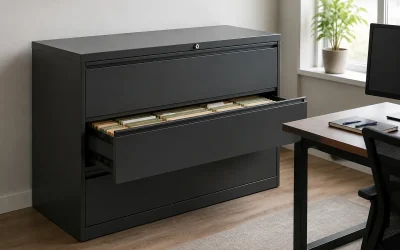
The integrated, reversible filing cabinet does the job of a separate pedestal, which is exactly what you want in a spare bedroom or nook. Best for students, renters, and anyone who needs paper storage and a work surface in one purchase.
Best Premium: AODK L-Shaped Gaming Desk with LED Light & Power Outlet
The corner layout gives you room for two monitors plus a laptop, and the built-in outlets and LED strip mean less aftermarket wiring to hide. Choose it if you have a dedicated room, a corner to fill, and a multi-display setup that a straight desk can’t handle.
Best for Cable and Charging Management: PRAISUN 55.1″ Desk with USB-C
Onboard outlets and a USB-C port keep phones, headsets, and tablets topped up without a tangle of bricks, while the fabric drawers swallow the small clutter that accumulates on any maker’s bench. A smart pick for gadget-heavy desks and hybrid workers.
Best for DIY Customization: Huuger 55″ Computer Desk
A wide, uninterrupted top on a plain metal frame is the ideal blank canvas for a pegboard wall, under-desk drawer slides, or a shelf you cut yourself. Best for makers, soldering and craft stations, and anyone who wants to add their own storage rather than pay for it.
Frequently Asked Questions
Are electric standing desks worth it over a manual converter?
Yes, if you’ll actually change positions several times a day. A motorized base like the Veken moves in seconds with a button press, while converters add clutter and usually force a compromise on monitor height.
Can I mount a monitor arm to a laminate desk?
Usually, provided the clamp zone is solid and not hollow. Test with a knuckle rap — a hollow ring means you should add a 1/4″ plywood or hardwood plate under the clamp pad to distribute pressure.
Is an L-shaped desk better than a straight one?
Only if you have the corner for it. L-shapes shine for dual monitors and split task zones, but a 55″ straight desk like the Huuger or PRAISUN often gives more usable depth in a narrow room.
What color desk should I choose?
Black hides scuffs and cable clutter, which suits gaming and workshop setups. White, like the Veken 55″ standing desk, brightens small rooms but shows marker and coffee marks faster.
Final Thoughts
For most people the Veken 47.2″ Electric Standing Desk is the smartest long-term buy, with the Veken 55″ white version worth a look if you want more surface area in a lighter finish. Go with the Lufeiya 47″ if budget and built-in filing matter most, or the Huuger 55″ if you’d rather start with a solid, no-frills base and build the storage yourself.