Key takeaways
- Measure your lift first: Sit upright, look straight ahead, and mark where your gaze hits the screen. That mark should land in the top third of the display — the gap tells you how many inches of riser height you actually need, usually 3–5 inches.
- Check the deck width and depth: Two 24-inch monitors need roughly 40 inches of usable surface. Also confirm the depth clears your monitor feet; overhanging bases are the most common return reason.
- Weigh your gear: Add up monitor weight before buying. Laser printers and 32-inch panels demand a solid load rating, not a hollow particleboard shell.
- Decide what goes in the drawer: Shallow drawers suit pens and sticky notes; deeper ones swallow a keyboard. Confirm the drawer opens fully without hitting a keyboard tray or desk edge.
- Think about cable routing: Look for open backs or rear gaps. If a riser has none, a 20-minute mod with a spade bit and a grommet gives you tidy pass-throughs and no pinched cables.
What's inside
The OPNICE Dual Monitor Stand Riser with Drawer is the best overall pick for most home offices, with the gianotter Dual Monitor Stand Riser as the value runner-up. Both lift two screens to eye level while reclaiming the dead space under your monitors for storage.
If you have ever stacked textbooks and a cutting board under a monitor to stop your neck from aching, you already understand the problem: most desks put screens 4–6 inches too low, and every fix you improvise eats desk surface instead of creating it. A purpose-built riser solves both at once — it sets the top third of your screen at eye height and turns the void underneath into drawer storage for pens, cables, notebooks, and the keyboard you want to slide away. This guide covers the risers worth buying, how to measure for the right lift, and where a DIY plywood shim still beats a store-bought shelf.
As an Amazon Associate we earn from qualifying purchases.



Quick Comparison
| Product | Best For | Standout Feature | Rating |
|---|---|---|---|
| OPNICE Dual Monitor Stand Riser with Drawer | Two-screen setups needing storage | Wide deck plus drawer and dual pen holders | See card above |
| gianotter Dual Monitor Stand Riser with Drawer | Budget-conscious upgrades | Dual-monitor width at entry pricing | See card above |
| OPNICE 2-Tier Monitor Stand Riser | Maximum vertical organization | Second tier for a laptop or router | See card above |
| OPNICE Monitor Stand Riser (Printer & Laptop) | Printers and heavier gear | Compact footprint with load-bearing deck | See card above |
| BONTEC Dual Monitor Stand Riser, White | Precise dual-monitor alignment | Adjustable length and swivel angle | See card above |
How to Choose a Monitor Stand or Riser for Desk Storage and Eye-Level Viewing
- Measure your lift first: Sit upright, look straight ahead, and mark where your gaze hits the screen. That mark should land in the top third of the display — the gap tells you how many inches of riser height you actually need, usually 3–5 inches.
- Check the deck width and depth: Two 24-inch monitors need roughly 40 inches of usable surface. Also confirm the depth clears your monitor feet; overhanging bases are the most common return reason.
- Weigh your gear: Add up monitor weight before buying. Laser printers and 32-inch panels demand a solid load rating, not a hollow particleboard shell.
- Decide what goes in the drawer: Shallow drawers suit pens and sticky notes; deeper ones swallow a keyboard. Confirm the drawer opens fully without hitting a keyboard tray or desk edge.
- Think about cable routing: Look for open backs or rear gaps. If a riser has none, a 20-minute mod with a spade bit and a grommet gives you tidy pass-throughs and no pinched cables.
The Best Monitor Stands and Risers for Desk Storage and Eye-Level Viewing Reviewed
Best Overall: OPNICE Dual Monitor Stand Riser with Drawer and 2 Pen Holders
This is the pick for anyone running two screens who wants organization built in rather than bolted on. The wide deck handles a dual setup comfortably, and the drawer plus pen holders clear the clutter that normally colonizes a desktop.
Best Budget: gianotter Dual Monitor Stand Riser with Drawer
Best for students, first apartments, or anyone kitting out a second workstation without overspending. You get the same core benefits — eye-level screens and a storage drawer — at a price that makes buying two entirely reasonable.
Best Premium: OPNICE 2-Tier Monitor Stand Riser with Drawer
Ideal for small desks where vertical space is the only space left. The second tier holds a closed laptop, router, or reference binders, making it the strongest choice for hybrid workers juggling a docked laptop and an external display.
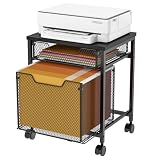
Best for Printers and Heavy Gear: OPNICE Monitor Stand Riser, Printer & Laptop Stand
Choose this if your desk has to host a printer or a heavy single monitor. The narrower footprint fits corner and L-shaped desks well, and the space underneath becomes a natural home for paper reams and label stock.
Best for Dual-Monitor Alignment: BONTEC Dual Monitor Stand Riser, Adjustable Length & Swivel, White
Best for anyone whose monitors need to angle inward rather than sit flat. The adjustable length and swivel let you dial in a shallow curve around your seat, which reduces head turning during long editing or trading sessions.
Frequently Asked Questions
How high should a monitor riser be?
Aim for the top of the screen at or just below eye level when seated upright, which typically means 3–5 inches of lift for a standard desk and chair. If a riser overshoots, remove the tallest feet or swap in shorter hardwood dowels.
Can I put a monitor riser on a standing desk?
Yes, and it often helps — many standing desks top out slightly below ideal eye height for taller users. Just recheck your seated height too, since the riser applies in both positions.
Is a riser better than a monitor arm?
A riser wins when you want storage and a zero-installation solution; an arm wins when you need free desk surface and fine-grained tilt. Risers also work on glass or thin desktops where clamps are risky.
Can I build one myself instead?
Absolutely — a 3/4-inch plywood top on two mitered end panels takes an afternoon and costs little. Buy instead when you want a fitted drawer, since drawer slides and clean joinery are where DIY builds get time-consuming.
Final Thoughts
For most home offices, the OPNICE Dual Monitor Stand Riser with Drawer delivers the best mix of eye-level ergonomics and reclaimed storage, while the gianotter riser covers the same ground on a tighter budget. If your desk leans warm and wood-toned, the Simple Houseware riser in rustic brown is the one that will look intentional rather than bolted on — and the BONTEC remains the smart choice when dual-monitor angling matters most.