
Most people who need a flatbed scanner are not looking to build a print shop or archive museum collections. They have stacks of faded photographs, tax documents that crumble at the edges, children’s artwork that needs a permanent copy, or a book chapter they cannot re-borrow from the library. The problem is straightforward: turning physical originals into clean digital files without spending more time than the task deserves. The scanners that solve this well share a few traits — a lid or frame that accepts the document without fuss, enough optical resolution to preserve detail, and bundled software that produces usable PDFs or JPEGs without requiring a second application.
Where they diverge is in format size, scan speed, sensor quality, and price. A $70 compact unit will handle letter-size documents perfectly but leave you stranded when a client asks you to scan a large-format blueprint or an A3 portfolio page. A $1,300 photo scanner will produce archive-grade output from film negatives but is absurd for a home office that processes ten receipts a week. This roundup compares eight flatbed scanners across that entire range, using published specifications, current pricing, and consistent owner feedback as the basis for each assessment.
Our top picks



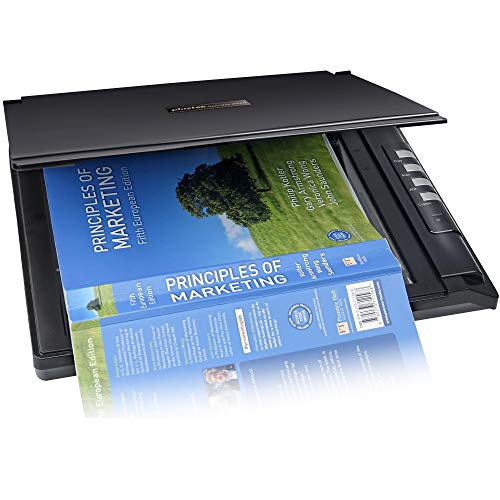


As an Amazon Associate we earn from qualifying purchases at no extra cost to you.
Quick Picks
| Product | Best for | Price |
|---|---|---|
| Canon CanoScan LiDE 300 | Basic document and photo scanning on a budget | $69.99 |
| Canon CanoScan LiDE 400 | Slim, portable scanning for tight desks | $97.99 |
| Epson Perfection V19 II | Photo restoration at high optical resolution | $67.99 |
| Epson Perfection V39 II | Enthusiast photo work without breaking the bank | $117 |
| VIISAN 3120 A3 | A3 documents in libraries and small offices | $339.99 |
| Plustek OpticSlim 2700 | Speed-focused document digitization | $129 |
| Plustek OS1180 | A3 format at a mid-range price | $349 |
| Epson Perfection V800 Photo | Professional film and photo archiving | $1,289.99 |
How We Picked
We narrowed the field by weighting four criteria: optical resolution that preserves fine detail in photographs and small text; physical footprint, because many buyers place these on shared desks or bookshelves; format compatibility, since A3 and legal-size needs eliminate most slim scanners outright; and bundled software quality, which determines whether the unit is usable out of the box or requires purchasing a separate scanning suite.
The 8 Best Flatbed Scanner in 2026
Canon CanoScan LiDE 300
The LiDE 300 is the entry point that remains relevant because Canon’s bundled utilities — PDF, AUTOSCAN, Copy, and Send shortcuts — eliminate the usual friction of configuring scanning software. For a homeowner digitizing receipts and ID documents, it does the job without fuss. The flatbed glass handles standard letter and A4 sheets with a lid that is easy to lift for thick originals. Owner feedback consistently praises the plug-and-play setup on Windows, though Mac users occasionally report driver hiccups. The optical resolution is adequate for documents but not for film, so anyone wanting to scan negatives should look elsewhere. Skip it if you routinely handle anything larger than A4 or if you need speed over convenience.
Canon CanoScan LiDE 400
At 0.4 inches thick, the LiDE 400 is among the thinnest flatbed scanners available, making it a natural choice for dorm rooms, standing-desk setups, or anyone who needs to store the unit between uses. The 7.7 by 14.5 inch footprint means it slides under a laptop bag without complaint. Image quality is a step above the LiDE 300 thanks to an upgraded sensor, and the auto document feed feature for multi-page originals saves time on repetitive tasks. The trade-off is a narrower scanning area than some competitors and a price that sits awkwardly above the budget tier. Skip it if you need A3 capability or if the price delta over the LiDE 300 cannot be justified by the thinner profile alone.
Epson Perfection V19 II
The V19 II is a photo-first scanner that costs less than most document scanners, thanks to Epson’s use of a high-resolution CIS sensor rated at 4800 dpi optical. For people restoring family snapshots, scanning old prints, or digitizing photo albums in bulk, it produces sharp, color-accurate results that justify its niche. The software bundle includes Epson ScanEasy, which handles dust and scratch correction automatically. The main limitation is scan speed — large batches take noticeably longer than dedicated document scanners, and the included USB cable is short. Skip it if your primary workload is text-heavy documents or if you need to scan at high volume without waiting.
Epson Perfection V39 II
The V39 II steps up from the V19 II with a more refined mechanical design and improved edge-to-edge sharpness, still at 4800 dpi optical resolution. It occupies a useful middle ground: more capable than budget document scanners, far more affordable than the professional V800. Owners who photograph their own artwork or need clean scans of magazine pages appreciate the slightly larger effective scan area and the improved color depth. The lid is sturdier than the V19 II, reducing the wobble that plagued earlier models. It is not designed for film or negatives, and the bundled software lacks batch-processing tools that power users expect. Skip it if you work with 35 mm film or if you need to process more than a few dozen images per session.
VIISAN 3120 A3
The VIISAN 3120 exists for one purpose: scanning A3 originals quickly and affordably. With a 1200 DPI CIS sensor and a frameless design, it captures an 11.7 by 16.7 inch area in roughly 8 seconds. That speed and size combination is rare below $400. Libraries, school media centers, and small offices that handle large-format documents, posters, or open books benefit most. Auto-scan mode lets a user place a document and press a single button without opening software. The downside is that image quality, while fine for text, does not match photo-grade scanners, and the build feels utilitarian rather than premium. Skip it if your workflow is photo restoration or if you only ever scan letter-size documents.
Plustek OpticSlim 2700
Plustek built the OpticSlim 2700 around one metric: speed. A three-second scan time for a standard document is competitive with devices costing twice as much, making it suitable for front desks, reception areas, or anyone processing daily paperwork. The slim profile keeps it desk-friendly. Owner reviews praise the reliability of the hardware over long sessions and the straightforward driver installation. The compromise is that the optical resolution, while sufficient for text, will not satisfy anyone pushing the scanner toward archival photo work, and the plastic housing can feel less durable than metal-framed alternatives. Skip it if image fidelity matters more than throughput or if you need a scanner that survives years of heavy public use.
Plustek OS1180
The OS1180 addresses the same A3 gap as the VIISAN but with a more established brand name and slightly different software ecosystem. Scanning an A3 page takes approximately 9 seconds, placing it just behind the VIISAN in raw speed while offering a more polished driver experience on both Windows and Mac. It targets libraries, schools, and small offices where multiple users need to scan quickly without technical assistance. The frame is larger and heavier than slim letter-size models, so desk space is a consideration. Image quality is document-oriented, not photographic. Skip it if you need the absolute fastest A3 scan times available or if a more compact footprint is a priority.
Epson Perfection V800 Photo
The V800 is not a document scanner wearing a photo costume; it is a dedicated archiving tool for film, slides, and prints, using a dual-lens system that Epson designs specifically for transparency scanning. At nearly $1,300, it commands a price that only professionals or serious hobbyists will justify. The output quality for 35 mm film and medium-format negatives is exceptional, with dust removal that saves hours of retouching. For anyone whose work depends on accurate color reproduction from physical media, there is little alternative in this price range. Skip it if you do not scan film, if you have fewer than a few hundred items to digitize, or if your budget cannot absorb a professional-grade tool for a non-professional workload.
Buying Guide
Optical Resolution and Sensor Type
Optical resolution measures the native detail a scanner can capture, and it is the spec most often inflated in marketing. For text documents and standard photos, anything at or above 600 dpi is sufficient; most models in this list exceed that threshold comfortably. Film and negatives demand 2400 dpi or higher, which is why the V800 sits at a different price point. CIS sensors, used in the VIISAN and Plustek A3 models, are thinner and cheaper but produce shallower depth of field, meaning thick books or uneven surfaces can blur at the edges. CCD sensors, found in the Epson V-series, handle those surfaces more forgivingly.
Scan Area and Format Size
Before comparing prices, confirm the maximum physical size your originals require. Letter and A4 fit on every scanner here. Legal-size documents eliminate the Canon LiDE models and several others with narrower beds. A3 originals — architectural drawings, posters, oversized photographs, bound books — require the VIISAN 3120 or Plustek OS1180 and rule out every other option. If you are unsure whether you will ever need A3, note that the price jump from a letter-size unit to an A3 unit is roughly three to four times, so buy for your actual workload, not a hypothetical future one.
Software and Integration
Hardware specs determine whether a scan is possible; software determines whether it is painless. Canon’s LiDE series bundles one-touch buttons that launch specific tasks without opening an application, which matters for shared or guest-use environments. Epson’s scan utilities include automatic correction for skew, dust, and color balance. Plustek and VIISAN rely on third-party or basic bundled tools that may require manual adjustments. If you process documents through a cloud storage pipeline or need batch PDF output, verify that the included software supports those workflows before purchasing, because adding a separate scanning application increases both cost and setup time.
Our Verdict
The best overall flatbed scanner for most home-office buyers is the Canon CanoScan LiDE 400: it balances quality, portability, and a reasonable price without the driver headaches that plague its closest competitors. For anyone whose absolute ceiling is $70, the Epson Perfection V19 II delivers higher optical resolution than anything else at that price and is the budget pick if photo quality matters more than speed. If your workload is exclusively A3 documents for a small office or school library, the VIISAN 3120 wins on price-per-square-inch of scanning area, undercutting the Plustek OS1180 while delivering a faster scan cycle.
FAQ
What is the difference between optical and interpolated resolution?
Optical resolution is the true detail a sensor captures in a single pass. Interpolated resolution is software-generated by stretching pixel values and does not add real information. Always compare scanners by optical resolution; the 4800 dpi figure on the Epson V-series refers to optical, while interpolated figures on budget models can be misleading.
Can a flatbed scanner handle books or bound documents?
Yes, but with limits. The lid on most models accommodates books up to roughly one or two inches thick. Thicker volumes require removing the lid or using a book cradle, which introduces page curvature and shadowing. A3 flatbeds like the VIISAN and Plustek OS1180 are better suited because the larger glass area lets you place an open book more comfortably.
Do I need a separate document feeder?
Only if you scan multi-page contracts or forms in high volume. The LiDE 400 includes an automatic document feeder; most other models in this list do not. If you process more than a few dozen pages per day, an ADF saves significant time, but for occasional single-page scans it adds cost and bulk without benefit.
How long do flatbed scanner lamps last?
Modern LED-based scanners, which include every model listed here, do not use traditional lamps that burn out. The light source is rated for the functional life of the device, so you will likely replace the scanner for reasons other than illumination failure. Older fluorescent models had a finite lamp life, but that technology is no longer relevant in this price range.









