Key takeaways
- Hiking and general travel: Choose a compact camera with reliable stabilization, a replaceable battery, and common mounting options. One spare battery and a 128 GB card are a reasonable starting point for short clips; take more storage if you plan to film at high bitrates for hours.
- Mountain biking or skiing: Prioritize secure mounting, stabilization, clear controls with gloves, and cold-weather battery planning. A chest mount can show the trail; a helmet mount captures a higher viewpoint.
- Snorkeling and water sports: Confirm the camera’s bare-body depth rating and use a dive housing when the depth or conditions exceed it. Rinse and inspect seals after use.
- Vlogging on the move: A front-facing screen or flip-up display makes framing easier. Check voice quality in wind and consider a compatible windscreen or external audio setup.
- Capturing everything around you: A 360 camera offers more framing choices later, but requires more editing, storage, and care to protect exposed lenses.
Best Action Cameras for Travel and Outdoor Sports
The best action camera for most travelers is a recent GoPro HERO, while the DJI Osmo Action 5 Pro is a strong alternative for long days and dimmer scenes, and the Insta360 Ace Pro 2 is worth considering if a flip-up screen and flexible reframing matter most. The right choice depends less on headline resolution than on how you’ll mount it, how long you need to record, and whether you’ll film underwater or after sunset.
Quick picks by situation
| Your priority | Good fit | Why it fits | Trade-off to check |
|---|---|---|---|
| Smallest, simplest travel setup | GoPro HERO | Compact body and a broad ecosystem of mounts and accessories | Check the exact model’s battery life and low-light limits |
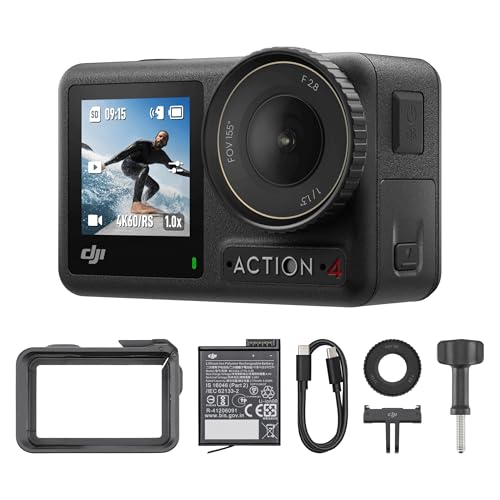
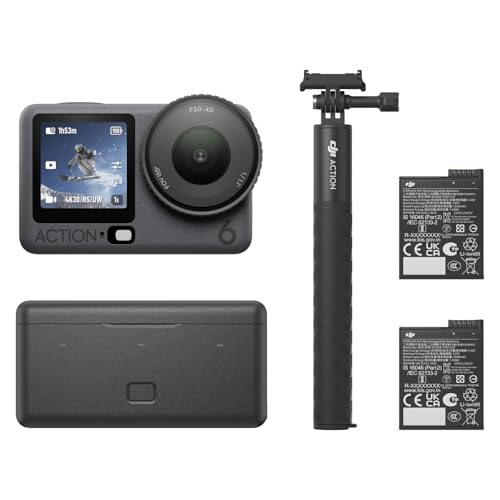
| Long outdoor days | DJI Osmo Action 5 Pro | Designed for extended recording, with a front and rear screen and removable battery | Bring spare batteries and verify compatibility with your existing mounts |
| Self-filming and flexible framing | Insta360 Ace Pro 2 | Flip-up screen is useful for checking framing while facing the camera | Larger body can be less convenient on a helmet or small handlebar |
| 360-degree footage or creative reframing | Insta360 X-series 360 camera | Captures the surroundings so you can choose the view later | Editing and storage take more time and space than standard action footage |
These are product-family recommendations, not a claim that one model wins in every setting. Check the current generation’s specifications before buying: waterproof depth, recording modes, included battery, and accessory compatibility can differ by model and bundle.
Our top picks


As an Amazon Associate we earn from qualifying purchases at no extra cost to you. Ratings are shown as listed on Amazon.
What matters more than the resolution number
Stabilization for motion
Electronic stabilization smooths footage by cropping or reframing part of the image. It helps with walking, cycling, and trail footage, but it can’t eliminate every jolt from rough terrain. Strong stabilization modes may also crop more of the frame or restrict available resolution and frame rates. If you often shoot in low light, test the trade-off: stabilization that works well in daylight may not make a dark trail look clean.
For a helmet or chest mount, look for horizon leveling if keeping the horizon straight matters. For fast sports, use a mount that doesn’t wobble; software can smooth movement, but it won’t reliably fix a loose mount or vibration from a vehicle.
Waterproofing and cold-weather use
A camera described as waterproof may be safe for swimming without a housing but still have a depth limit. A separate dive housing is the safer choice for deeper water, repeated underwater use, or situations where a cracked door seal could ruin the camera. After salt water or sand exposure, rinse the camera with fresh water and let the doors dry before opening them.
Cold conditions can reduce battery runtime, especially when recording at high resolution or using bright screens. Keep a spare battery warm in an inside pocket and swap it when needed. Before a trip, check the maker’s operating-temperature range and whether the camera can be charged while recording.
Battery life: plan around your recording pattern
Published battery figures are usually measured under specific settings and conditions. High frame rates, high resolutions, stabilization, wireless connections, bright displays, and cold weather can all shorten runtime. Continuous recording is also a different workload from shooting short clips with pauses.
For a full day outside, carry at least one spare battery—or a compatible power bank if the camera supports charging during breaks. If you record from a fixed mount for long stretches, confirm that external power won’t interfere with the mount, waterproofing, or door closure.
Low-light video
Small action-camera sensors have less room to gather light than those in larger cameras. At dusk, in a forest, or indoors, footage can become grainy, smeared by noise reduction, or blurry when the camera slows its shutter. A newer model may improve this, but a large resolution number doesn’t guarantee clean night footage.
For better results, film in daylight where possible, avoid very fast frame rates after sunset, and add a small light for close subjects. If night sports or indoor filming is a major use, compare sample footage from the exact models and settings you’re considering rather than relying on advertised resolution alone.
Storage for a long adventure
Action-camera files grow quickly. The estimates below are planning figures, not guaranteed bitrates: settings, codec, and scene complexity affect the actual file size. A microSD card’s sustained write speed matters too; choose a card class recommended by the camera maker, then format it in the camera before departure.
| Approximate recording bitrate | Space per hour | About how long on 128 GB* |
|---|---|---|
| 60 Mb/s | 27 GB | 4 hours |
| 100 Mb/s | 45 GB | 2.4 hours |
| 200 Mb/s | 90 GB | 1.2 hours |
*Usable recording time is lower than the simple capacity calculation because formatting, file overhead, and other camera data use space. The approximate calculation is bitrate in megabits per second × 0.45 = gigabytes per hour.
For a multi-day trip, carry two or more cards rather than relying on one, and back up footage to a phone, laptop, or portable SSD when practical. A 360 camera can require even more space because it records the full surroundings, and editing those files may need a capable computer or phone.
Mounts, size, and practical setup
Before choosing a camera, list where you’ll attach it: helmet, chest harness, handlebar, backpack strap, or tripod. Check whether the camera uses built-in mounting fingers, a proprietary quick-release system, or an adapter. A convenient quick release saves time between activities, but you may need extra adapters to use older mounts.
Mount stability affects both safety and footage. Tighten fasteners before each ride, use a tether where appropriate, and make sure the camera won’t obstruct a helmet’s fit, vents, or protective function. For travel, a small grip or short extension pole is versatile; long poles can be awkward in crowds and may be restricted at some venues.
Choose by the trip you’re taking
- Hiking and general travel: Choose a compact camera with reliable stabilization, a replaceable battery, and common mounting options. One spare battery and a 128 GB card are a reasonable starting point for short clips; take more storage if you plan to film at high bitrates for hours.
- Mountain biking or skiing: Prioritize secure mounting, stabilization, clear controls with gloves, and cold-weather battery planning. A chest mount can show the trail; a helmet mount captures a higher viewpoint.
- Snorkeling and water sports: Confirm the camera’s bare-body depth rating and use a dive housing when the depth or conditions exceed it. Rinse and inspect seals after use.
- Vlogging on the move: A front-facing screen or flip-up display makes framing easier. Check voice quality in wind and consider a compatible windscreen or external audio setup.
- Capturing everything around you: A 360 camera offers more framing choices later, but requires more editing, storage, and care to protect exposed lenses.
Bottom line
For a straightforward travel camera, start with a current GoPro HERO and compare its battery, waterproofing, and mount compatibility against your needs. Choose the DJI Osmo Action 5 Pro if extended outdoor use and a front-and-rear screen are priorities, or the Insta360 Ace Pro 2 if self-framing is especially useful. Whichever you pick, budget for spare power, fast compatible storage, and the mount you’ll actually use—the accessories and recording plan often matter as much as the camera body.