why is my dehumidifier not collecting water: An empty bucket does not prove failure: low humidity means little water condenses; a connected continuous-drain hose means water can bypass the bucket. A 50-pint/day rating is an extraction rate at official test conditions, not a bucket-fill schedule.
Quick Answer: If your dehumidifier collects no water, measure room humidity first: it may already be near or below the setpoint. Then check power, bucket seating/full switch, continuous-drain hose or pump routing, blocked intake and dirty filter, and room temperature. A compressor dehumidifier removes less water in cool, dry rooms. If humidity remains high and the unit still collects/drains nothing after manufacturer-approved checks, contact service.
As an Amazon Associate we earn from qualifying purchases.
By DIY Ideas 4 Home Editorial Team
Why This Happens: Causes and Warning Signs
Each line below ties a real-world decision to a visible outcome and an explicit limit. Start with the first check that fits the symptom rather than treating the whole list as required repairs.
| Decision point | Owner action | Result to check | Stop or exception |
|---|---|---|---|
| Measure humidity against setpoint | Use a hygrometer to check whether the room is already at or below the target RH. | Little condensate is expected when there is little moisture to remove. | An empty bucket alone is not proof of a breakdown. |
| Determine where drain water is routed | Inspect bucket seating, full indicator, gravity hose or pump outlet for the installed setup. | Water may flow through a drain instead of collecting in the bucket. | Do not dismantle an internal condensate pump. |
| Check permitted airflow and environment | Clear intake obstructions, inspect the model-approved filter and note room temperature. | Check for frost or low-temperature operation that reduces extraction. | Do not scrape frozen coils or attempt refrigerant repair. |
| Observe under realistic conditions | Follow the manual, close unnecessary openings and monitor RH and actual drain flow. | Compare change in room RH, not only bucket volume. | Manufacturer pints/day ratings describe laboratory conditions, not guaranteed basement output. |
Measure actual room RH and compare with machine setpoint
Frigidaire says comfort/achieving chosen RH matters more than visible bucket water; little water may collect at low RH and low temperatures.
An empty collection bucket does not necessarily mean the appliance failed. The room may already be near or below the selected humidity target, the unit may be in an automatic control pause, or a continuous drain hose may be carrying water elsewhere. Start with a separate hygrometer placed away from the dehumidifier’s exhaust so the reading reflects the room. Compare that number with the chosen setting. If the air is already dry enough and the machine is not running its compressor, stopping collection may be exactly what the controls are supposed to do.
Consider the room is already dry enough
Inspect bucket seating, full indicator, gravity hose or pump outlet for the installed setup.
Inspect the water path without dismantling the cabinet. A properly configured continuous-drain setup may bypass the bucket, so look at the discharge point and confirm the hose routing matches the model’s requirements. Check that the bucket is seated, the full-bucket float is free to move as designed, and no external kink is blocking the drain line. Do not bypass a float switch or tilt an energized appliance to force a sensor change. Water on the floor, a cracked collection container, or leakage into controls is a reason to stop use and resolve the issue safely.
The bucket may stay dry during continuous drainage
Midea notes that continuous drain hose must not lead UP above outlet/drain point; system normally uses gravity.
The dehumidifier’s advertised pints-per-day rating describes standardized test conditions, not an amount the bucket must contain every calendar day. Real collection changes with room humidity, temperature, airflow, and the moisture entering the space. In a dry room, a high-capacity machine can collect little water; in a very damp basement, it can collect more. Avoid treating the nameplate capacity as a promise of daily output. To compare real operation, record ambient temperature, room RH, setpoint, and measured collected water over comparable periods, while respecting the appliance’s operating range.
What the DOE pints-per-day rating means
ENERGY STAR notes that pints/day capacity is removal at defined test conditions, and 2019 test methodology means old and newer rated capacities are not directly comparable.
Humidity already at/below target
Frigidaire notes that check RH setpoint, continuous mode and fan setting when collection is poor.
How to Interpret the Evidence
Bucket content depends on ambient RH, target, room temperature, drain route and defrost state.
Pints/day rating is measured under standardized conditions; it is not physical bucket volume.
Midea error-code meaning varies by pump vs no-pump model and must be checked by manual.
How to Check the Problem Safely
Begin with observable conditions and proceed only through permitted user controls. A safety alarm, damaged part, live connection or inaccessible component ends the do-it-yourself path.
Step 1: measure humidity against setpoint
Use a hygrometer to check whether the room is already at or below the target RH. Little condensate is expected when there is little moisture to remove.
An empty bucket alone is not proof of a breakdown.
Midea notes that Comfort mode automatically sets humidity to 50%; Continuous mode operates continuously, differing from normal humidity-target regulation.
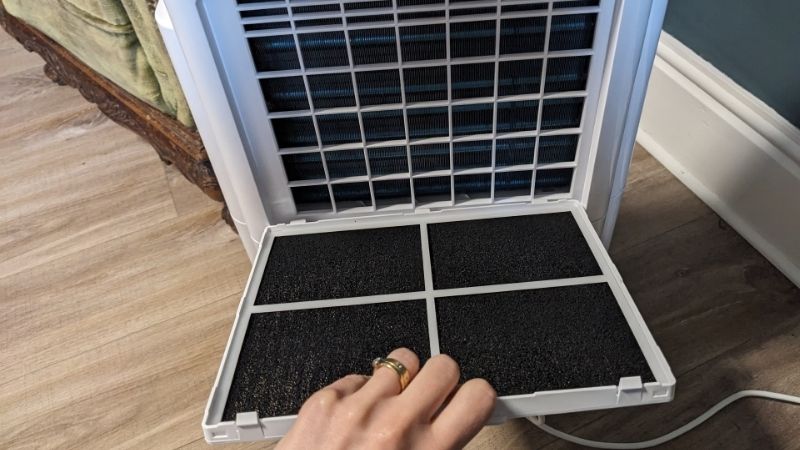
Check airflow and operating conditions before assuming a compressor defect. Clean the accessible filter if the manual permits and make sure stored items do not block intake or exhaust. In a cold room, inspect externally for frost and follow the dedicated icing guidance rather than running repeated forced cycles. Confirm the unit is not in a timer or sleep mode that changes when moisture removal occurs. These steps keep the focus on controllable conditions; they do not require you to open refrigerant tubing, test capacitors, or touch live electrical connections.
Step 2: determine where drain water is routed
Inspect bucket seating, full indicator, gravity hose or pump outlet for the installed setup. Water may flow through a drain instead of collecting in the bucket.
Do not dismantle an internal condensate pump.
Frigidaire notes that empty the full bucket and reinstall correctly so the dehumidifier can function.
A useful follow-up observation is to compare the displayed humidity with an independent meter after the machine has operated normally under suitable conditions. If both suggest the room is already within a reasonable moisture range, an empty bucket is less concerning. If RH remains high but the unit never gathers water and the drain path is clear, note any error indicator and contact manufacturer support. A dehumidifier also cannot fix a continuing basement leak by itself, so heavy moisture returning immediately after operation should prompt investigation of where the water is coming from.
Step 3: check permitted airflow and environment
Clear intake obstructions, inspect the model-approved filter and note room temperature. Check for frost or low-temperature operation that reduces extraction.
Do not scrape frozen coils or attempt refrigerant repair.
GE explains that many units can struggle at low room temperature, particularly below 41°F; consult exact model’s operating range.
Step 4: observe under realistic conditions
Follow the manual, close unnecessary openings and monitor RH and actual drain flow. Compare change in room RH, not only bucket volume.
Manufacturer pints/day ratings describe laboratory conditions, not guaranteed basement output.
Products That Help
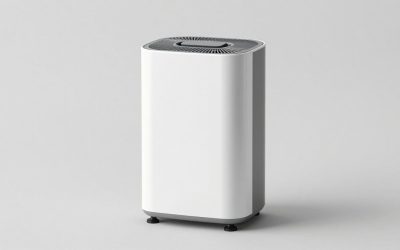
Useful supplies for the specific checks above can include Midea MAD50S1QWT dehumidifier and digital hygrometer. Confirm the exact size, device compatibility and applicable maintenance instructions first. Equipment and tools do not remove the need to stop for a safety fault.
When to Call a Pro
Give the service provider the model number, the symptoms in time order, your observed operating conditions and any displayed fault code. Do not open sealed electrical, refrigerant or combustion components to collect this information.
Frequently Asked Questions
The answers below separate normal operation, owner-accessible checks and conditions that require manufacturer support or professional service.
Why is my dehumidifier running but the bucket is empty?
Measured humidity may already be at the setpoint, and some water may go directly to a drain hose. Check actual RH, collection route and bucket seating.
Can low room humidity cause a dehumidifier to stop collecti
Yes. Drier room air supplies less vapor for condensation, so less water can be normal. Compare to a measured RH rather than a bucket-fill timetable.
Why does the hose drain but bucket stay dry?
In a gravity-drain setup, water bypasses the bucket. Check the hose slope and outlet as specified for your model.
Does a 50-pint dehumidifier remove 50 pints every day?
No. A 50-pint/day nameplate reflects a defined official test condition; real extraction varies with temperature, humidity and selected mode.
Final Thoughts
Use a hygrometer to check whether the room is already at or below the target RH. Manufacturer pints/day ratings describe laboratory conditions, not guaranteed basement output.
More from Amazon
Programs that pair well with the guide above. Offers and eligibility are set by Amazon and may change.
A free business account with business pricing and bulk-buying tools for work, shop or home office.
Create a business accountFree shipping on eligible items, Prime Video and more. Eligible new members can start with a free trial.
Start a Prime free trialAudiobooks and podcasts to listen to on the go. Eligible new members can start with a free trial.
Try Audible freeAd-free music streaming. Eligible new subscribers can start with a free trial.
Try Music Unlimited freeAs an Amazon Associate we earn from qualifying purchases.