Key takeaways
- Baseline 1080p 60fps: NVIDIA GeForce RTX 3050 (6GB/8GB) or AMD Radeon RX 6600. Handles esports titles well above 100 fps and AAA games at medium-high settings around 60 fps.
- Sweet spot 1080p 60-100fps: NVIDIA GeForce RTX 4060 or AMD Radeon RX 7600 / RX 7600 XT. The best value for high settings in 2026 with support for modern upscaling like DLSS and FSR.
- Avoid for new purchases: Cards with only 4GB VRAM or older GTX 16-series models if you want to play new AAA releases for the next 2-3 years. 8GB VRAM is now the practical minimum.
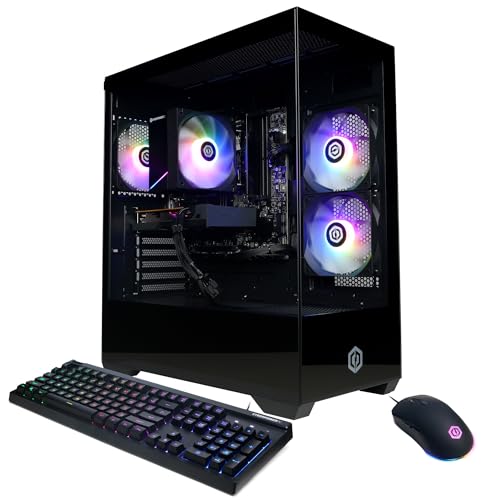
The best budget gaming PCs for smooth 1080p play in 2026 are systems pairing an entry discrete GPU like the NVIDIA GeForce RTX 4060 or AMD Radeon RX 7600 with a 6-core CPU such as the AMD Ryzen 5 5600 or Intel Core i5-12400F, 16GB of RAM, and a 500GB to 1TB NVMe SSD, which together usually cost $600–$900 and deliver 60+ fps at high settings in most modern games without needing premium components.
Our top picks



As an Amazon Associate we earn from qualifying purchases at no extra cost to you. Ratings are shown as listed on Amazon.
What “Smooth 1080p” Means for Budget Buyers
For affordable 1080p gaming, smooth means a consistent 60 frames per second at 1080p resolution with high or ultra settings, with 1% lows above 45 fps so you do not feel stutters during busy scenes. You do not need a 1440p or 4K capable card, 32GB of RAM, or a top-tier processor to hit that target. The goal is a balanced build where no single part bottlenecks the others, and where you have a clear path to upgrade later instead of replacing the whole system.
A common mistake is overspending on the CPU while settling for integrated graphics or an older entry GPU. At 1080p, the graphics card determines about 70% of your gaming performance. A modest 6-core CPU is enough, which is why budget PCs can stay affordable and still play well.
The 4 Specs That Decide 1080p Performance
1. Graphics Card (GPU)
This is the most important part. For new budget systems in 2026, these are the realistic tiers:
- Baseline 1080p 60fps: NVIDIA GeForce RTX 3050 (6GB/8GB) or AMD Radeon RX 6600. Handles esports titles well above 100 fps and AAA games at medium-high settings around 60 fps.
- Sweet spot 1080p 60-100fps: NVIDIA GeForce RTX 4060 or AMD Radeon RX 7600 / RX 7600 XT. The best value for high settings in 2026 with support for modern upscaling like DLSS and FSR.
- Avoid for new purchases: Cards with only 4GB VRAM or older GTX 16-series models if you want to play new AAA releases for the next 2-3 years. 8GB VRAM is now the practical minimum.
2. Processor (CPU)
You do not need an 8-core or 12-core chip for 1080p. Look for:
- AMD Ryzen 5 5600 / 5600G or Intel Core i5-12400F / i5-13400F class performance. All offer 6 cores and strong single-thread speed.
- Avoid pairing a modern RTX 4060-class GPU with a 4-core CPU like the Intel Core i3-10100F or Ryzen 3 3200G, as it will limit frame rates in CPU-heavy games like open-world and strategy titles.
3. RAM and Storage
- RAM: 16GB DDR4 (2x8GB in dual channel) is the standard for smooth 1080p play. 8GB causes stuttering in many 2024-2026 games. DDR5 is nice to have but not required at this budget; if offered, 16GB DDR5 4800MHz or higher is fine.
- Storage: A 512GB NVMe SSD is the minimum. 1TB is strongly recommended since modern games often need 80–150GB each. Adding a secondary 1TB SATA SSD later is a cheap expansion.
- Power Supply: A reputable 550W–650W 80 Plus Bronze unit is sufficient for these builds and leaves headroom for a future GPU upgrade. Avoid no-name PSUs that lack over-current protection.
Realistic Frame Rates to Expect at 1080p
Performance varies by game optimization, but this is what the sweet-spot tier (RTX 4060 / RX 7600 with Ryzen 5 5600 / i5-12400F and 16GB RAM) typically delivers at 1080p high settings without upscaling, based on aggregated benchmark data from hardware reviewers:
| Game Type (Example) | Settings | Avg. FPS | 1% Low FPS |
|---|---|---|---|
| Esports (Valorant, Fortnite, League of Legends) | High / Competitive | 160–240 | 110–150 |
| AAA Shooter (Call of Duty: Modern Warfare III, Cyberpunk 2077) | High, No Ray Tracing | 75–95 | 55–68 |
| Open World (Elden Ring, Baldur’s Gate 3) | High | 65–80 | 48–60 |
| Demanding AAA (Alan Wake 2, Starfield) | Medium-High + FSR/DLSS Quality | 60–75 | 45–55 |
With the baseline tier (RX 6600 / RTX 3050), subtract about 20–30% from those averages. With FSR or DLSS set to Quality mode, you can often gain 25–40% more frames with minimal visual loss, which is how most budget PCs stay above 60 fps in demanding titles.
Best Budget Gaming PCs by Situation
Instead of one overall winner, choose based on your room, budget, and how you play:
| Your Situation | Best Fit Type | Key Specs to Prioritize | Trade-off to Accept |
|---|---|---|---|
| Small apartment or bedroom, limited space | Compact micro-ATX tower or small-form-factor build | RTX 4060 / RX 7600, 16GB RAM, 1TB NVMe | Less room for large air coolers; check GPU length clearance before upgrading |
| Student on a tight budget, usually $500–$700 range | Entry tower with RX 6600 / RTX 3050 | Ryzen 5 5600, 16GB RAM, 512GB SSD | Plan to lower settings to medium-high in 2 years or add a GPU later |
| Want easy upgrades for 3-4 years | Standard mid-tower with B550 or B660 motherboard | 650W PSU, 4 RAM slots (2 empty), extra M.2 slot | Slightly larger case; usually $700–$900 range |
| Shared living room, need quiet operation | Tower with 120mm fan case and 2-fan GPU | Case with mesh front, CPU tower cooler | May cost $30–$60 more than a budget case with solid front panel |
Don’t Forget the Desk: Fit, Clearance, and Ergonomics
A budget gaming PC is only comfortable if it fits your furniture. Many affordable prebuilts use mid-towers that are larger than people expect. Measure before you buy.
| Measurement | Standard Spec | Why It Matters |
|---|---|---|
| Mid-tower case size | 16–18 in tall x 7–8 in wide x 14–17 in deep | Needs 4–6 inches of clearance on the side and rear for airflow; do not push directly against a wall |
| Compact micro-ATX case | 13–15 in tall x 6.5–7.5 in wide | Fits under a standard 29–30 in high desk with room to spare; better for 10×10 ft or 10×12 ft rooms |
| Desk depth for monitor + keyboard | Minimum 24 in deep; 30 in ideal | Allows monitor 20–28 in from eyes and leaves 10 in for keyboard wrist rest |
| Chair to desk height | Desk 28–30 in high pairs with seat height 17–19 in | Keeps elbows at ~90 degrees; if desk is too high, your shoulders will fatigue during long sessions |
| Weight and floor load | Budget tower 22–30 lbs; full setup with monitor 45–65 lbs | Check weight limit on lightweight folding desks (often 50–75 lbs) vs. solid wood or metal frame desks (100–200+ lbs) |
In a typical 10×12 ft bedroom, a 47-inch wide desk against one wall still leaves 36 inches of walkway if the PC is on the floor beside the desk rather than on top. If you must place the tower on carpet, use a small rolling PC stand or a 12×12 inch board to prevent dust intake and sinking. Ensure doorway width (usually 28–30 inches) can handle the box on delivery; most tower boxes are 22x20x14 inches and weigh 28–35 lbs.
Material and Construction Trade-offs for Gaming Furniture
The desk and chair affect comfort more than raw PC power during long sessions:
- Solid wood desk: Most durable, handles 150+ lbs, resists wobble, but heavier to move and usually $250–$500.
- Engineered wood (MDF/particleboard): Affordable and light, usually $100–$250, but sags under heavy PCs and chips at edges if moved often. Look for metal frame reinforcement.
- Metal frame + wood top: Best stability-to-price balance for gaming; tolerates monitor arms and tower weight without flexing.
- Mesh vs. foam chair: Mesh stays cooler for long gaming sessions and is lighter to move; high-density foam (1.8+ lbs per cubic foot) offers more cushion but retains heat.
Upgrade Paths That Actually Save Money
The cheapest PC to own is one you can upgrade piece by piece. When comparing options, check these details that listings sometimes omit:
- Motherboard: B550 (AMD) or B660/B760 (Intel) boards let you add more RAM, a second NVMe drive, and a future CPU from the same generation. A320 or H610 boards limit this.
- RAM slots: Choose a board with 4 slots and only 2 filled (2x8GB). Adding 2 more sticks later is cheaper than replacing 2x4GB.
- PSU headroom: A 550W unit is fine today, but 650W lets you move up to an RTX 4070-class card later without replacing the power supply.
- Case airflow: A case with a mesh front and 2–3 included 120mm fans will keep a future, more powerful GPU from thermal throttling. Solid-front cases with one fan often run 10–15°C hotter.
- Storage expansion: Confirm at least one spare M.2 NVMe slot and one spare 2.5-inch bay. Games are only getting larger.
Assembly and durability realities: Most budget prebuilts ship with protective foam inside; setup is usually removing foam, plugging in power, and connecting HDMI/DisplayPort. The parts that wear first are budget case fans (can get noisy after 18–24 months), low-end keyboards/mice bundled in, and 512GB SSDs that fill up within a year. Plan $40–$70 for an extra 1TB SSD when your library grows.
What to Avoid in Budget Listings
- Systems listing only “8GB RAM” or “1TB HDD” as primary storage in 2026. Both will hold back a modern GPU.
- Vague descriptions like “high-performance gaming CPU” without naming the exact model (e.g., Ryzen 5 5600). Without a model number, you cannot verify value.
- Single-channel RAM (1x16GB instead of 2x8GB) – it reduces gaming performance by 10–15% in many titles.
- Paying extra for RGB lighting or glass panels instead of a better GPU tier. Performance parts beat aesthetics at this budget.
Frequently Asked Questions
Is 16GB RAM enough or should I get 32GB for 1080p?
16GB is enough for smooth 1080p gaming in 2026 for nearly all titles. 32GB helps if you stream, run Discord, Chrome, and a game simultaneously, or play heavy simulation games. If the PC you like has 16GB but four RAM slots, you can add more later without waste.
Do I need ray tracing on a budget PC?
No. Ray tracing looks better but cuts frame rates by 30–50% on budget cards. Most budget gamers turn it off to stay above 60 fps. Cards like the RTX 4060 can handle light ray tracing with DLSS, but high ray tracing is not expected at this price.
Can a budget PC handle a 144Hz monitor?
Yes for esports games where you will exceed 144 fps easily. For AAA games, you will typically get 60–90 fps, so a 144Hz monitor will still feel smooth thanks to variable refresh rate, even if you do not hit 144 fps. A 75Hz or 100Hz monitor is also a good value pairing if you want to save money.