How to Clean Power Tools Safely Without Damaging Them
To learn how to clean power tools, start by disconnecting power and reading the maintenance section of each tool’s manual. Remove loose debris with a soft brush or a suitable vacuum, wipe permitted exterior surfaces with a barely damp cloth, and keep moisture away from vents, switches, motors, and battery contacts. Let the tool dry completely before storing or returning it to use.
Quick Answer: Unplug corded tools or remove cordless batteries, let the tool cool, and detach accessories only as the manual directs. Brush or vacuum dust from accessible areas, clean exterior grips with a lightly damp cloth if approved, and dry them thoroughly. Inspect guards, cords, batteries, and ventilation openings. Do not spray water or household cleaners into the housing, and do not apply oil to internal components without a specific maintenance instruction.
A drill coated in sawdust and a circular saw filled with wood chips need somewhat different attention, but the basic principles are the same: disconnect first, avoid forcing debris deeper into the machine, use only approved cleaning materials, and check for damage rather than concealing it. These steps cover common home workshop tools without pretending every motor or battery system is designed alike.
As an Amazon Associate we earn from qualifying purchases.
By DIY Ideas 4 Home Editorial Team
Why Routine Power Tool Cleaning Matters
Routine cleaning keeps power tools running cooler and lasting longer, which is why it is worth doing before problems show up. Dust, resin, and grime restrict airflow and clog moving parts, so a little upkeep protects the tool and you.
Dust affects cooling and moving mechanisms
Many powered tools rely on airflow through vents to remove heat. Dust or packed wood chips can obstruct those openings and collect around user-accessible guides and guards. Keeping vents clear may support proper cooling, but visible dirt is not the only possible reason for overheating. If the tool already smells burnt, produces smoke, or trips repeatedly, stop use and seek diagnosis rather than assuming cleaning will fix it.
Debris hides wear and damage
A clean housing makes it easier to spot hairline cracks, frayed cords, missing screws, damaged guards, and worn grips. Resin buildup around a saw’s visible components may affect smooth movement. Maintenance provides an opportunity to catch problems before the next job. However, cosmetic cleaning is not an electrical safety inspection and doesn’t prove a damaged tool is safe to operate.
Clean tools are easier to store and handle
Oil, glue, drywall compound, and sawdust can make grips slippery or contaminate other supplies. Keeping tool cases relatively clean also helps prevent abrasive grit from grinding against accessories. Store a thoroughly dry tool away from condensation and extremes of temperature according to its manual. Avoid packing a wet tool into a foam-lined case where it may stay damp.
What to Use and What to Avoid
| Cleaning item | Appropriate use | Main caution |
|---|---|---|
| Soft brush | Loose dust on external seams and accessible vents | Avoid pushing debris into the motor housing |
| Vacuum with suitable nozzle | Collect dry loose dust from permitted areas | Use appropriate filtration for hazardous dust |
| Microfiber cloth | Wipe housings and handles | Keep it only lightly damp when manufacturer allows |
| Mild soap in water | Limited exterior cleaning on approved surfaces | Never pour or spray liquid onto tool |
| Cotton swab or small detail brush | Exterior corners and dry accessible recesses | Keep fibers and metal parts away from contacts |
| Compressed air | Only where manual expressly recommends it | Wear required PPE; avoid aerosolizing hazardous dust |
| Lubricant | Specific user-serviceable joints only | Unapproved oil may harm seals, grips, and motors |
Use a soft brush before wet wiping
A dry brush loosens sawdust and chips without putting liquid near electrical parts. Work gently around the exterior vent openings and tool seams. Use a vacuum nozzle to catch released debris rather than blowing dust across the room. Avoid inserting stiff picks, screwdrivers, or brushes into spinning parts or hidden cavities, even though the tool is disconnected.
Choose a vacuum suited to the dust
An ordinary household vacuum may not be suitable for fine silica dust or lead-contaminated renovation debris. For lead-safe renovation work, the EPA recommends proper containment and HEPA vacuum equipment designed for that use. Material-specific dust management starts while cutting or sanding, not after the job is complete. If you’re unsure what a dust deposit contains, avoid dispersing it while cleaning.
Be cautious with compressed air
Some manufacturers specify clean, dry compressed air for particular motor vents, along with eye and respiratory protection. Others recommend brushing or vacuuming. Compressed air can drive debris deeper, damage sensitive areas, or launch respirable dust into the workspace. Do not assume it is the best general-purpose method, especially after masonry, paint-removal, or drywall work. Follow the actual model’s instructions and dust hazard controls.
Skip harsh solvents and pressure washing
Gasoline, acetone, paint thinner, strong degreasers, and some household chemicals can weaken plastics or damage seals. Power tools are not generally intended for soaking, spraying, or pressure washing. A wet rag should not drip into the housing, and even a ‘water-resistant’ tool may have restricted cleaning instructions. Use mild exterior methods only where permitted by the manufacturer.
How to Clean Power Tools in Eight Steps
Step 1: Disconnect every energy source
Unplug corded tools and physically remove removable batteries from cordless tools. For chargers, disconnect the charger from the wall and follow its separate instructions. Wait until blades, discs, and moving parts have completely stopped, and until the tool has cooled. Battery-powered tools can start unexpectedly if handled carelessly, so do not rely solely on the trigger switch or safety lock.
Step 2: Set up a clean and ventilated area
Choose a dry, well-lit bench where parts cannot roll away. Put down a clean mat or disposable surface if appropriate. Keep other people away from hazardous dust. Wear eye protection when brushing particles, and use task-appropriate respiratory precautions when handling known or suspected hazardous debris. Never brush lead dust or silica-containing dust into open air as if it were ordinary wood chips.
Step 3: Remove accessible dust and chips
With power disconnected, use a soft brush and suitable vacuum on exterior surfaces, cooling openings, and reachable chip-collection areas. Avoid pushing dust into seams. Remove detached saw blades, sanding discs, or bits only as directed; some accessories are sharp or spring-loaded. If guards or covers must be removed beyond normal operator maintenance, stop and consult authorized service instructions.
Step 4: Clean the body and grip surfaces
When allowed, dampen a cloth with a small amount of water or mild soap solution and wring it out until barely moist. Wipe textured grips, handles, and broad exterior panels. Do not direct liquid toward ventilation slots, trigger switches, spindle openings, or electrical connectors. For tar, cured adhesive, or paint splashes, check approved removal methods rather than attacking the housing with a stronger solvent.
Step 5: Treat vents, switches, and contacts as sensitive areas
Dust near a vent should be lifted or vacuumed, not driven deeper with a pointed metal tool. Wipe external battery housings only by approved methods, and never bridge battery contacts with a wet cloth or conductive implement. A gummy trigger or unreliable switch may require professional service; do not spray lubricant into it. If a tool has a removable dust filter, follow the exact cleaning and drying instructions for that filter.
Step 6: Inspect guards, cords, and fastening points
Look for missing guards, cracked plastic, frayed insulation, bent hardware, loose clamps, damaged plugs, and unusual wear. On a circular saw, confirm the lower guard can move and return properly using the manufacturer’s disconnected-power check. Never defeat a guard because sawdust makes it sluggish. A damaged cord or safety mechanism means the tool should be taken out of service until properly repaired.
Step 7: Dry fully and lubricate only where instructed
Use a clean dry cloth to remove any approved cleaning moisture and allow complete drying before returning batteries or reconnecting power. Do not apply WD-40, grease, or oil to a sealed gearbox just because it feels stiff. Some tools have specific user-lubrication points; many require no extra lubrication. Follow the maintenance schedule and material specified by the maker.
Step 8: Store tools and batteries correctly
Put the clean, dry tool in its case, cabinet, or a secure rack that protects it from humidity and impact. Avoid storing loose metal items where they can bridge battery terminals. Follow the battery manufacturer’s instructions for charge level and storage temperature. Keep packs away from direct sunlight, hot vehicles, and combustible clutter. A damaged pack needs special handling rather than ordinary storage.
Cleaning Specific Power Tools
Cordless drills and impact drivers
Remove the pack, eject or safely remove the bit, and brush away visible material around the chuck and housing. Inspect the chuck for grit and check that exterior buttons operate normally without power. Do not soak the chuck, spray cleaner into the clutch ring, or open the gear case. If there’s smoke, burning smell, excessive heat, or cracking, stop and seek service instead of ‘cleaning it until it works.’
Circular and miter saws
Unplug or remove the battery, wait for a full stop, and brush or vacuum reachable sawdust around the shoe, fence, dust chute, and blade guard. Follow the model’s instructions before accessing the blade area. Check that guards return smoothly. Resin on a removable blade may call for a blade-safe cleaner used away from the saw itself, following the blade maker’s instructions. Do not flood bearings or the motor housing.
Sanders and grinders
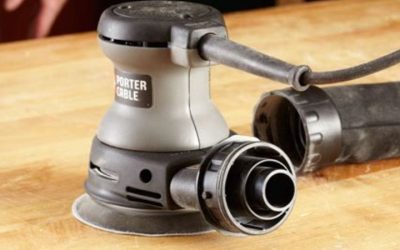
Remove the battery or unplug the tool, then detach sanding accessories as allowed. Empty the dust container safely, clean external collection ports, and inspect backing pads or guards for damage. Fine sanding dust can be hazardous depending on the material; vacuum filtration should match the hazard. Abrasive wheels on grinders must be inspected and handled under their specialized safety instructions; cleaning is not a reason to remove protective guards.
Oscillating tools and jigsaws
Dust tends to settle near accessory clamps and narrow openings. Use a small brush to remove accessible chips, inspect the locking mechanism, and ensure the cutting accessory is properly seated before later use. Blade and accessory mounts differ, so never force an attachment into a clogged interface. Replace visibly damaged accessories instead of cleaning away evidence of damage.
Batteries and chargers
Disconnect both pieces from power as applicable before exterior cleaning. Use only manufacturer-approved wipes or a clean, slightly damp cloth where permitted, keeping liquid out of contacts and charger slots. Do not disassemble sealed packs or charger housings. If a pack is swollen, leaking, hissing, smoking, or unusually hot, stop handling it and follow emergency or qualified disposal guidance rather than normal cleaning steps.
Deal With Stubborn Dirt Without Causing New Damage
Sticky sawdust and pitch
Pitch can bind with fine dust into stubborn deposits around woodcutting accessories. Clean detachable blades only with products and methods approved for the blade material, away from the unplugged saw, using safe handling procedures. On the tool body, limit work to mild approved exterior cleaning. Avoid leaving solvents on plastic guards or trigger parts.
Grease and oil on grips
First absorb surface oil with a dry cloth, then use a slightly damp cloth with a mild soap solution if the manual permits. Dry thoroughly and check whether oily residue comes from a leaking internal component. A tool that continues to seep lubricant, slip in your hands, or show a damaged seal should be inspected rather than repeatedly wiped down.
Fine concrete or drywall dust
Treat fine dust as a respiratory concern, especially after concrete, masonry, or renovation work in older houses. Use containment and dust collection appropriate to the material. For potential lead paint contamination, follow EPA lead-safe renovation guidance including HEPA vacuuming and wet wiping. Blasting residue from the motor with a compressor can create a breathing hazard and is not a safe default.
Rust on accessories and exposed metal
Clean rust from separate compatible accessories using the accessory manufacturer’s method. Do not apply rust remover or acid to assembled electrical tools or battery contacts. Significant corrosion at switches, housings, chargers, or battery terminals is a reason for qualified assessment. Corroded blades or damaged abrasive wheels may need replacement rather than restoration.
Set a Maintenance Routine That Matches Your Work
After each dusty project
With the tool unplugged or battery removed, remove loose chips, wipe appropriate exterior surfaces, inspect vents and guards, and store everything dry. A quick cleanup after cutting wood prevents debris from accumulating over several jobs. The interval is a practical suggestion, not a substitute for a stricter manufacturer schedule in abrasive or dusty conditions.
Once in a while, inspect the whole kit
Look over cords, cases, blades, bits, chargers, and tool battery mounts for signs of damage. Check that manuals are available and batteries are stored according to their care instructions. Organize sharp bits so they cannot damage each other. Service a failing tool rather than keeping it in rotation because it still turns.
Know which maintenance jobs are not DIY
Motor brushes, electronic switches, batteries, gearboxes, damaged guards, broken wiring, and structural components may require model-specific service or parts. A homeowner cleaning accessible dust should not have to open the motor assembly or modify safety devices. If normal cleaning reveals a defect, stop, identify the model, and consult the authorized service process.
Frequently Asked Questions
Can I spray water on power tools to clean them?
Generally no. Do not immerse, hose down, or pressure-wash tools unless their manufacturer expressly specifies such a procedure. Use limited exterior wiping as approved and keep liquid away from electronics.
Is compressed air safe for cleaning drill vents?
Only if your drill’s maintenance instructions approve it and you use the prescribed pressure and PPE. Brushing or vacuuming is often a better default, especially when the dust may contain silica or lead.
Can I use rubbing alcohol or degreaser on plastic housings?
Do not assume either is compatible. Some cleaners can damage plastics, insulation, seals, and labels. Follow the tool maker’s approved cleaner list and test only where its instructions permit.
How often should I clean power tools?
Remove loose dust after messy jobs and inspect before reuse. More frequent attention may be needed for sanding, demolition, and masonry work. The manual’s schedule and the type of dust take priority over a fixed calendar interval.
Should I oil a cordless drill after cleaning it?
Not unless the manufacturer describes a user-serviceable lubrication point and exact product to use. Many cordless drill gearboxes are sealed. Spraying lubricant into a chuck or vent without instructions can create problems.
Final Thoughts
Properly cleaning power tools is mainly about restraint: remove power first, capture loose debris without spreading hazardous dust, wipe only approved exterior surfaces, and keep liquids away from electronics. Take a moment to inspect guards, cords, contacts, and blades while the tool is clean. Never let a cleaning routine become an improvised motor repair or battery experiment. When a tool is dry, undamaged, and maintained according to its manual, it is better prepared for the next home project.